

Appearance
Reports
Open Reports in UpForm to review emails sent from your forms, unsubscribes, and customer accounts created through forms.
Transactions
The Transactions tab lists email activity from your forms, including admin notifications, customer emails, verification messages, follow-ups, and test emails.
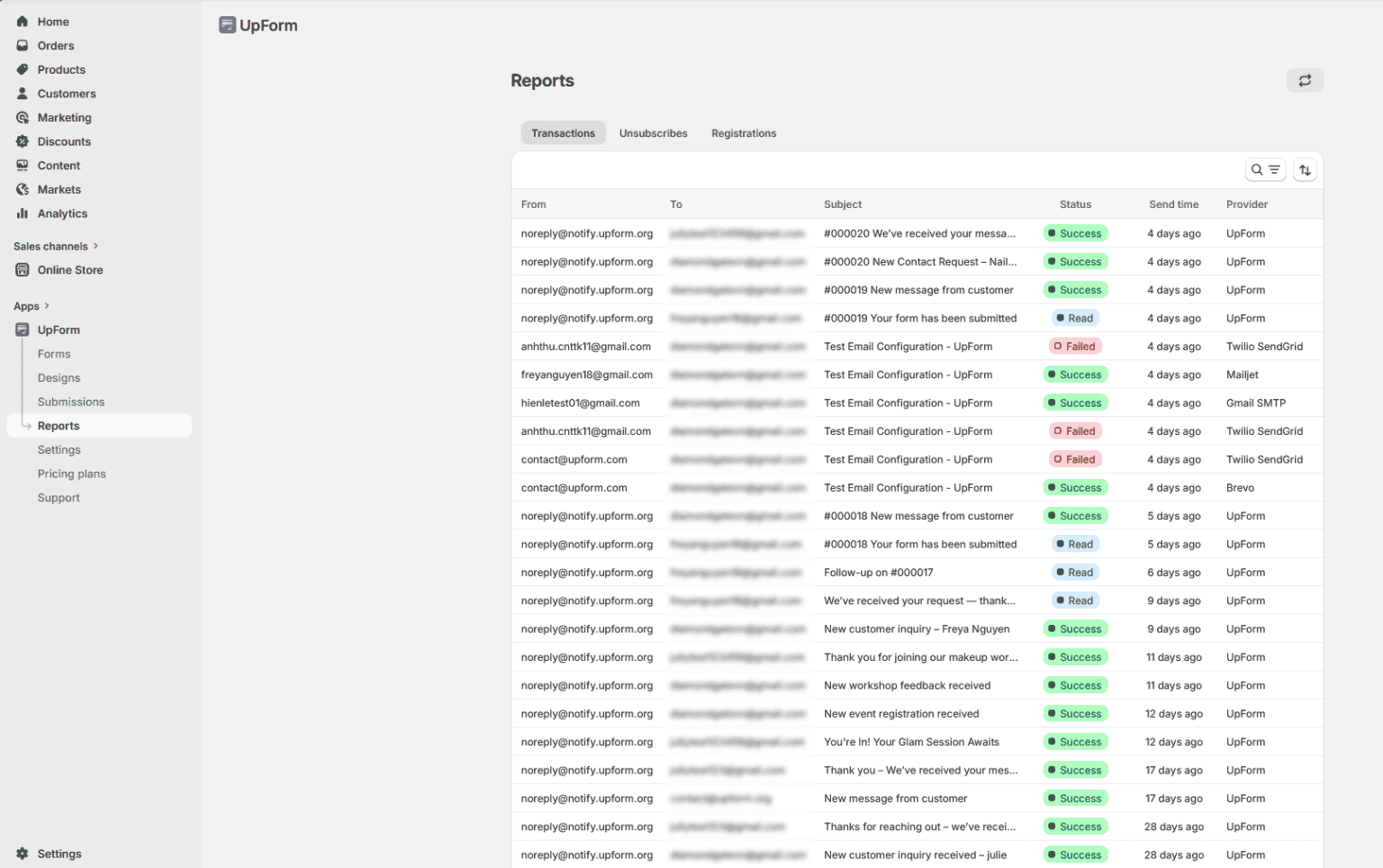
Each row can include:
- From — sender address
- To — recipient address
- BCC — BCC recipients, when used
- Subject — email subject
- Status — delivery state, such as Success, Failed, Read, Sending, Queued, Timeout, Locked, or Unverified
- Send time — when the email was sent
- Provider — email provider used (for example, UpForm, Twilio SendGrid, Brevo, Mailjet, or Gmail SMTP)
- Provider type — type of provider connection, when shown
- Action — open View details for more information, including Failure details when a send fails
You can:
- Search by sender, recipient, BCC, or subject.
- Sort by Send time (Oldest to newest or Newest to oldest).
- Refresh the list with the reload control when you need the latest data.
Use this tab to confirm whether emails were delivered and to investigate failed sends. For provider setup, see Email configuration.
Unsubscribes
The Unsubscribes tab lists people who opted out of emails from your forms.
Columns include:
- Unsubscribed at
You can search by email. Removing an address from this list is permanent for that unsubscribe record in UpForm — only do this when you intend to clear that entry.
Registrations
The Registrations tab lists customer accounts created through your forms (for example, with account or login/sign-up fields).
Columns include:
- Name
- Registered at
You can search by email and sort by Registered at (Oldest to newest or Newest to oldest).
If this does not work as expected, Contact for help.