

Appearance
Media, number, and date fields
Collect URLs or file uploads, numeric values, and date or time information. Countdown is a display element and does not collect a customer answer.
For shared label, required, icon, placeholder, description, and layout options, see Builder elements.
URL
Collects a web address.
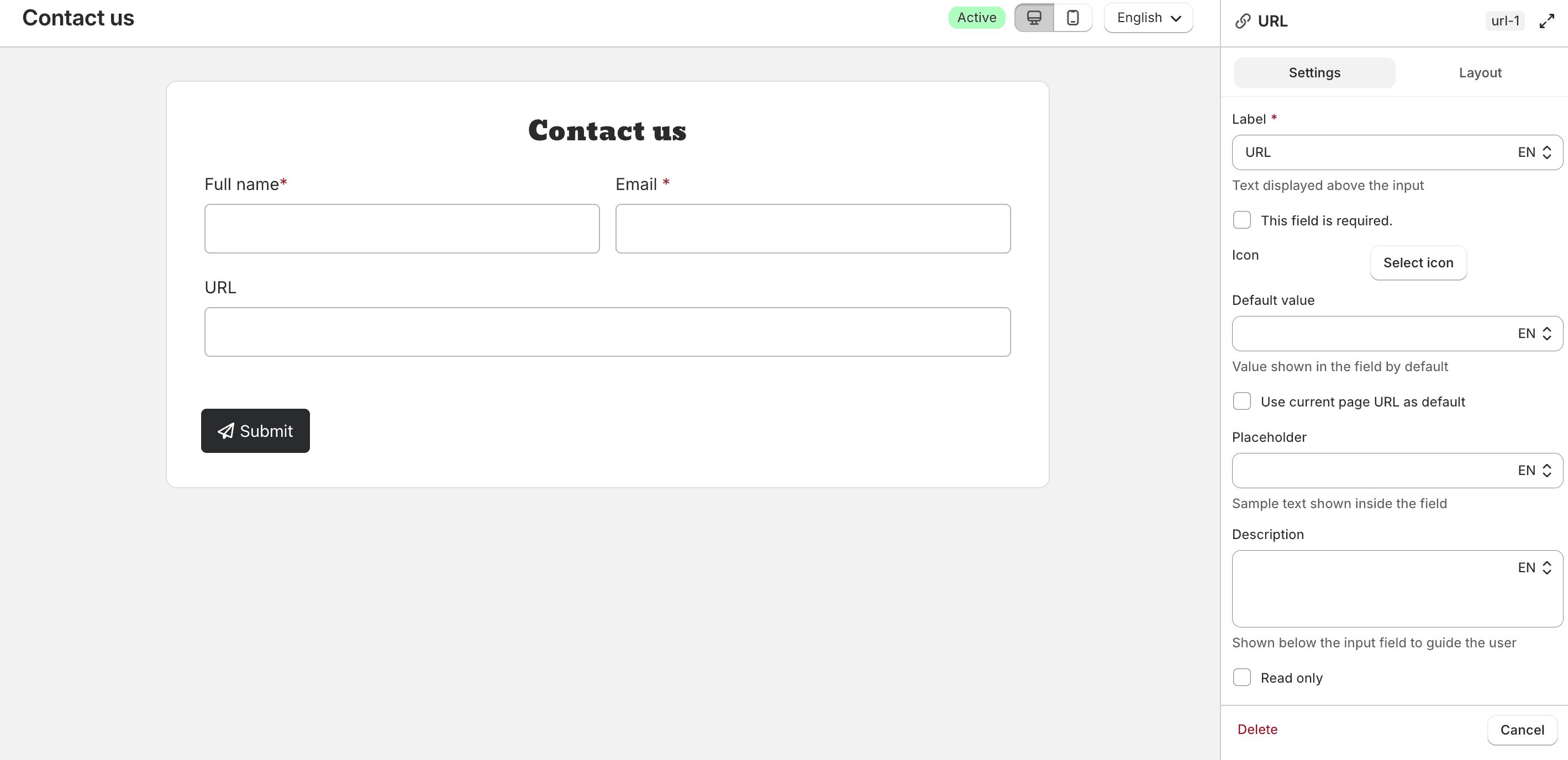
You can set a Default value, enable Use current page URL as default, and make the field Read only.
In the Advanced tab, save the answer to a Customer metafield when the customer is logged in. Customer information is not available for URL fields.
Under Save this field to, choose Customer metafield, enter a Name (for example, Website), and choose how to handle an existing value: Replace existing value or Only save if empty. Type is URL.
Guest submissions are not updated.
File upload
Collects file uploads with the form submission.
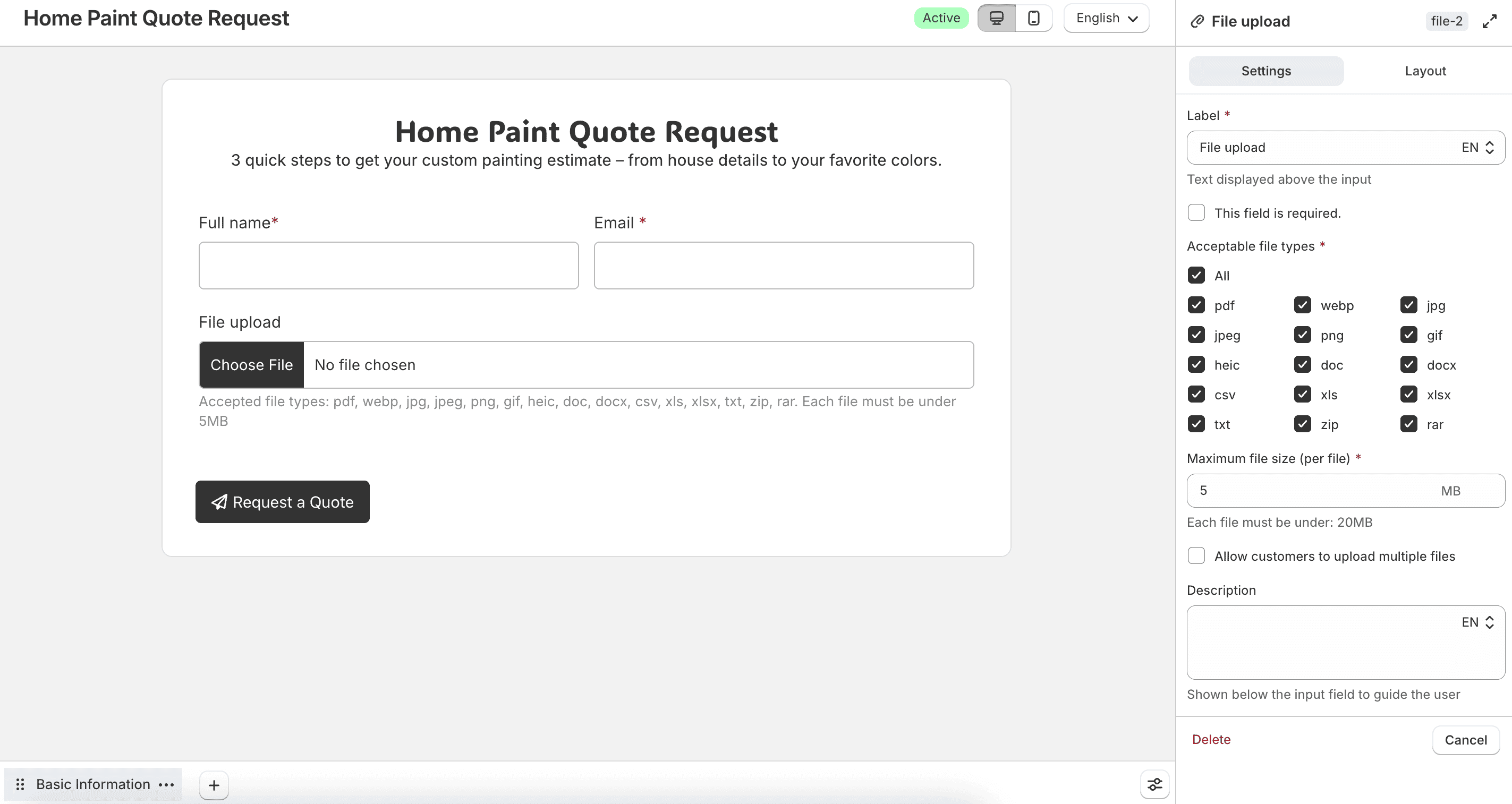
Choose Acceptable file types from: pdf, webp, jpg, jpeg, png, gif, doc, docx, csv, xls, xlsx, txt, zip, and rar.
Set Maximum file size (per file) in MB. Enable Allow customers to upload multiple files, then set Maximum number of files if needed.
In the Advanced tab, save the uploaded files to a Customer metafield when the customer is logged in. Customer information is not available for file upload fields.
Under Save this field to, choose Customer metafield, enter a Name (for example, Uploaded documents), and choose how to handle an existing value: Replace existing value, Add to existing values, or Only save if empty. Type is File, or List of files when multiple uploads are allowed.
Guest submissions are not updated.
Number
Collects a whole number.
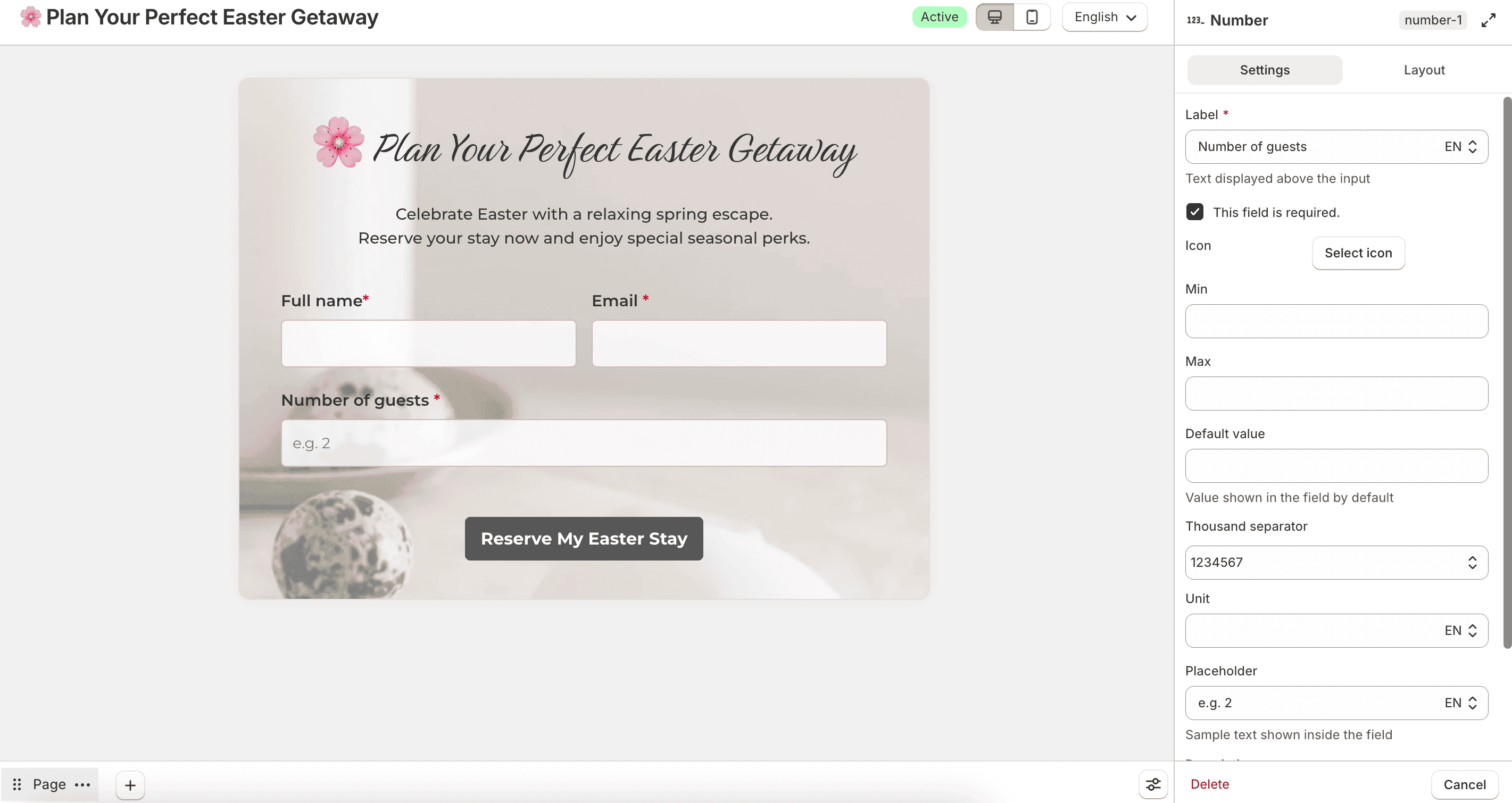
Configure Min, Max, Default value, Thousand separator, Unit, placeholder, and description.
In the Advanced tab, save the answer to a Customer metafield when the customer is logged in. Customer information is not available for number fields.
Under Save this field to, choose Customer metafield, enter a Name, and choose how to handle an existing value: Replace existing value or Only save if empty. Type is Integer.
Guest submissions are not updated.
Quantity
Collects a quantity with increment and decrement controls.
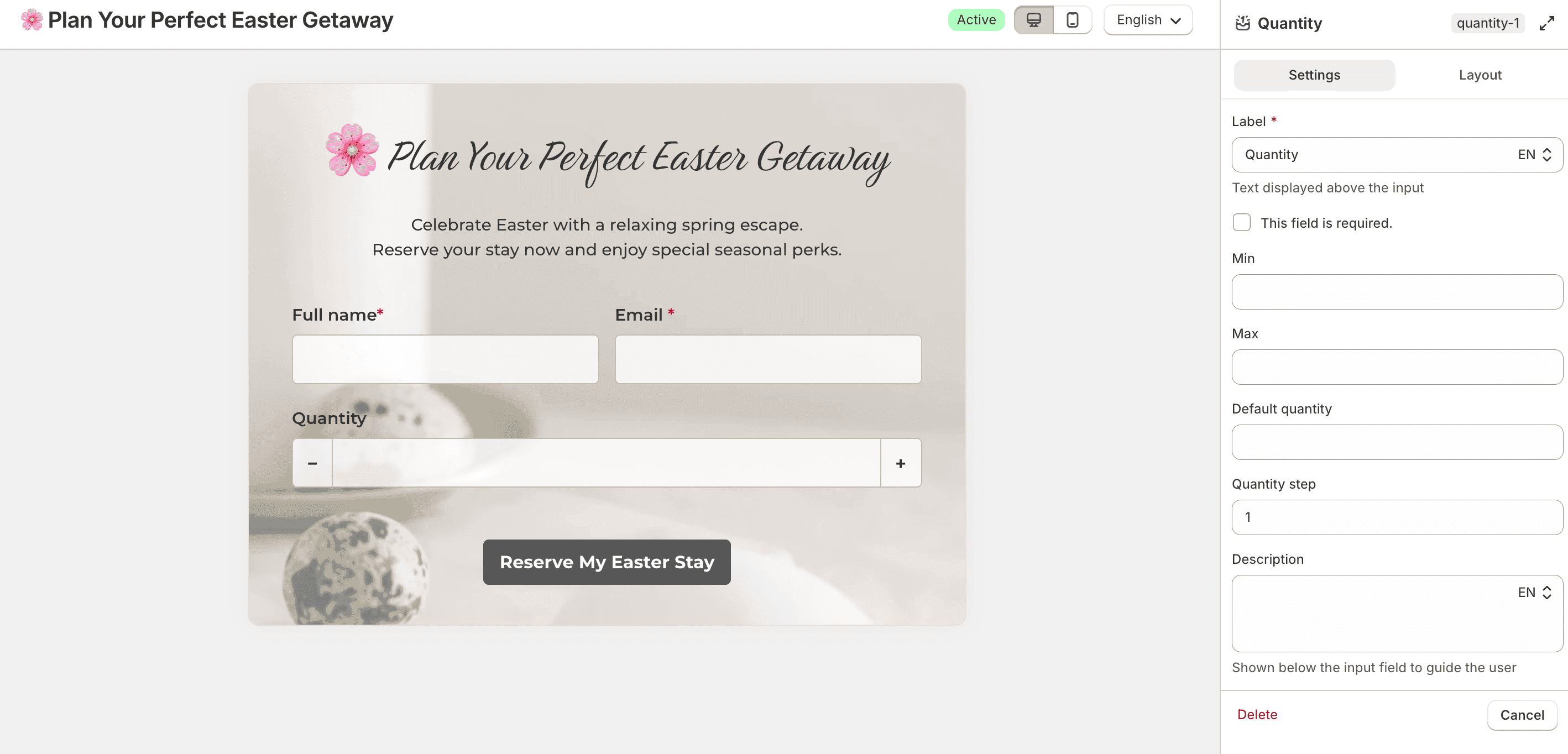
Configure Min, Max, Default quantity, and Quantity step. In Layout, set Width to Full width or Custom, and choose an Alignment when using a custom width.
In the Advanced tab, save the answer to a Customer metafield when the customer is logged in. Customer information is not available for quantity fields.
Under Save this field to, choose Customer metafield, enter a Name, and choose how to handle an existing value: Replace existing value or Only save if empty. Type is Integer.
Guest submissions are not updated.
Decimal
Collects a decimal number.
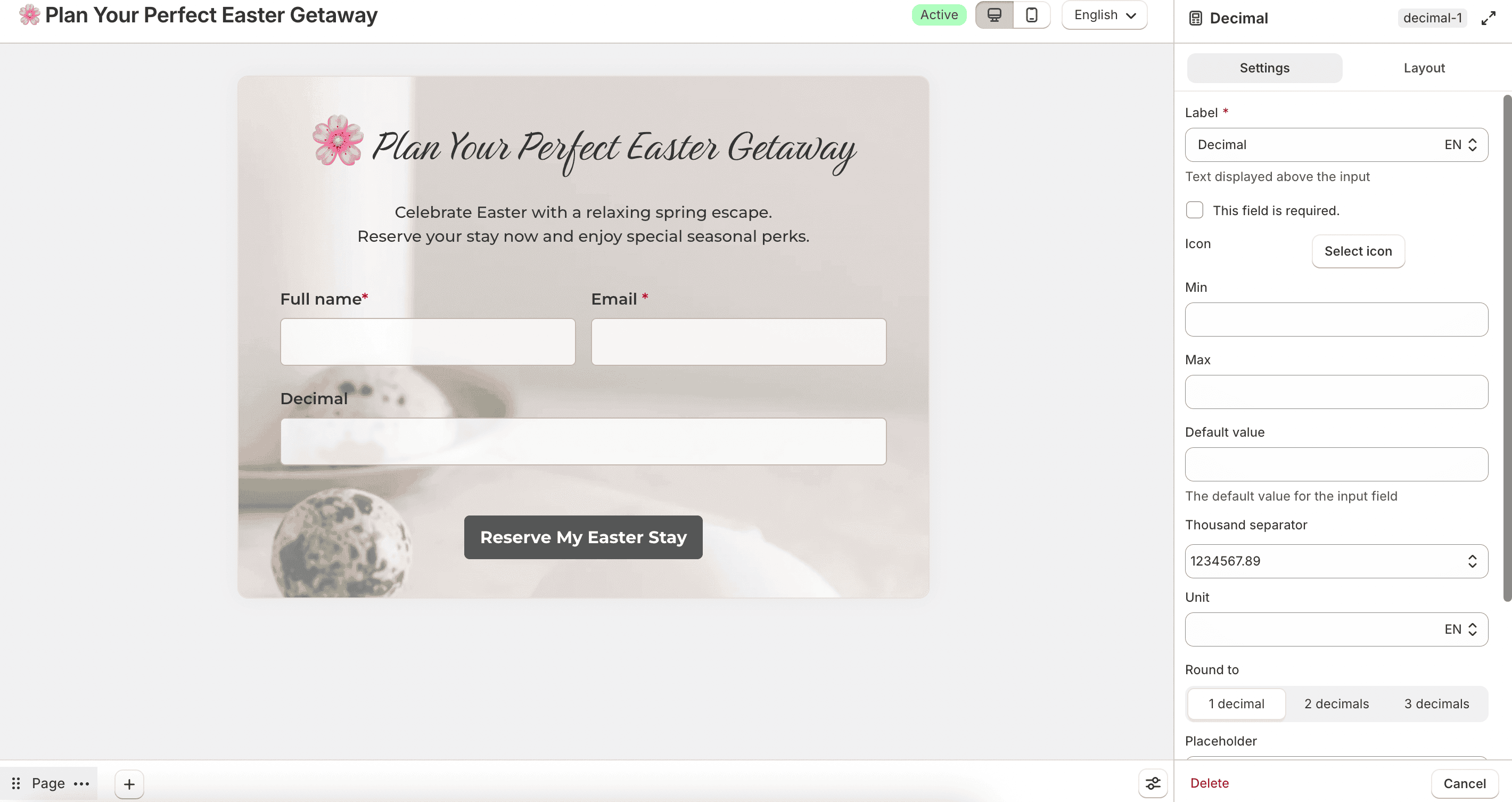
Configure Min, Max, Default value, Thousand separator, Unit, and Round to (1, 2, or 3 decimals).
In the Advanced tab, save the answer to a Customer metafield when the customer is logged in. Customer information is not available for decimal fields.
Under Save this field to, choose Customer metafield, enter a Name, and choose how to handle an existing value: Replace existing value or Only save if empty. Type is Decimal.
Guest submissions are not updated.
Slider
Collects a number with a slider.
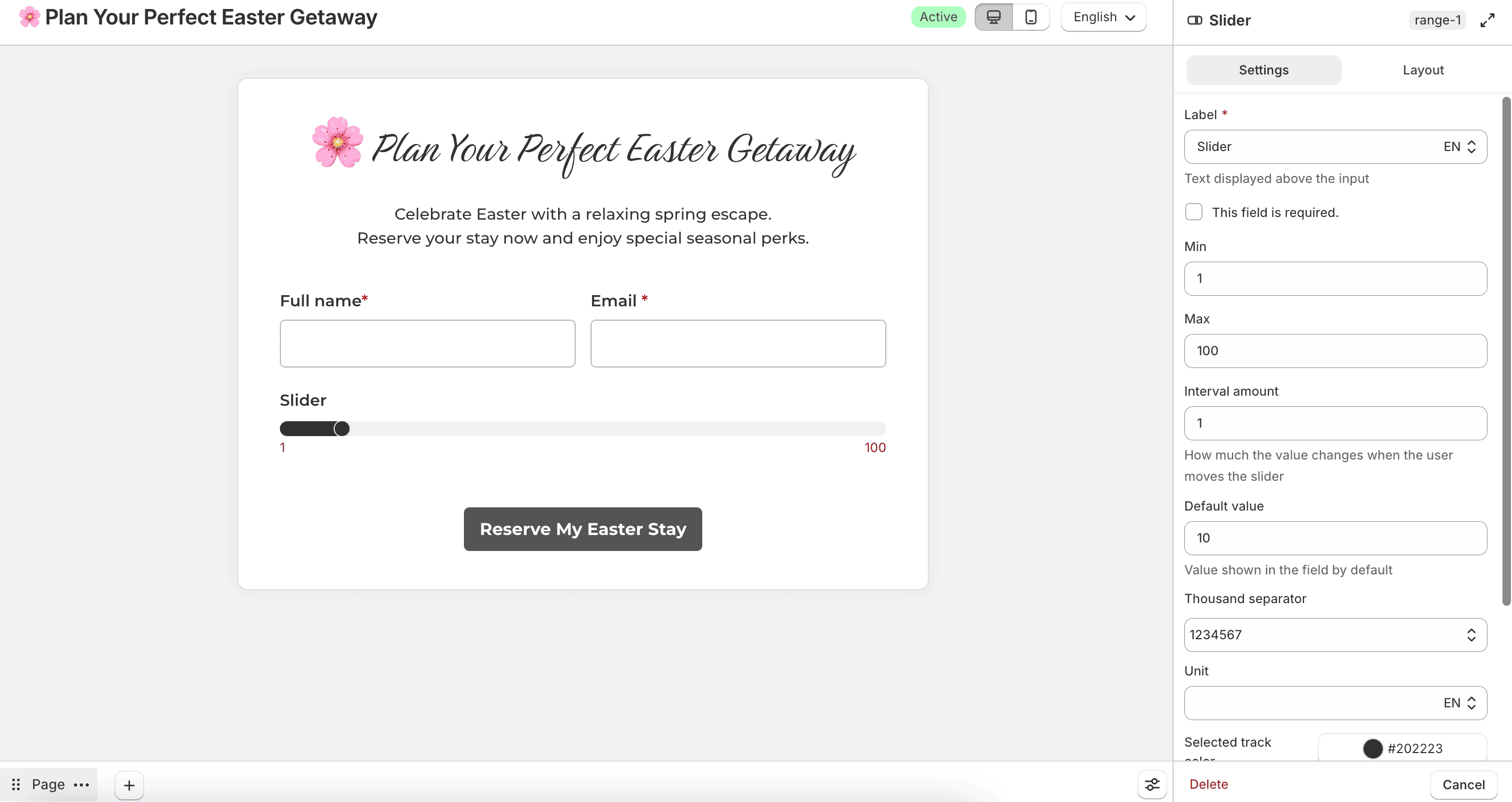
Configure Min, Max, Interval amount, Default value, Thousand separator, Unit, Selected track color, and Track color.
In the Advanced tab, save the answer to a Customer metafield when the customer is logged in. Customer information is not available for slider fields.
Under Save this field to, choose Customer metafield, enter a Name, and choose how to handle an existing value: Replace existing value or Only save if empty. Type is Integer.
Guest submissions are not updated.
Date and time
Collects both date and time in one field.
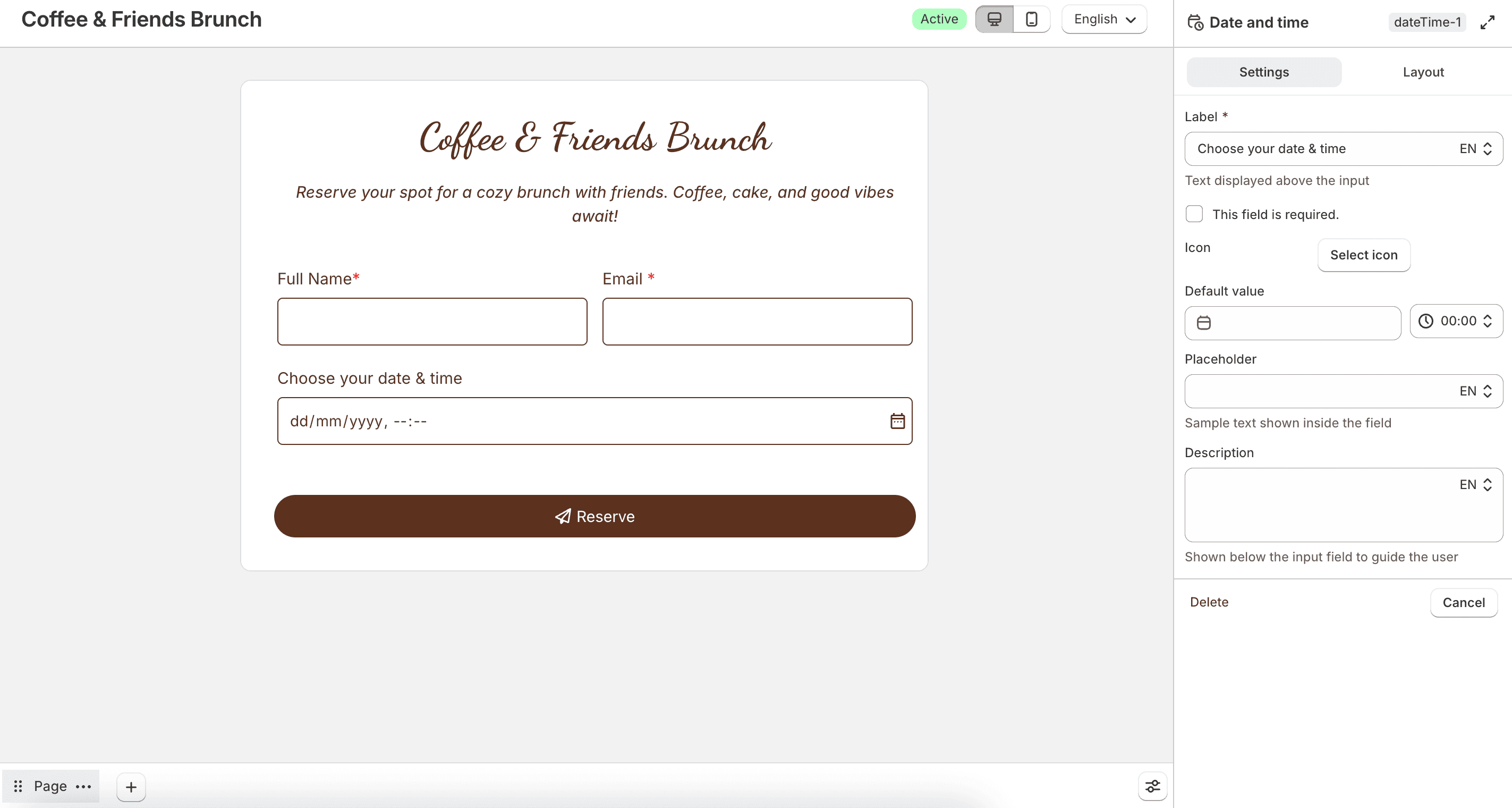
Configure the label, required state, icon, Default value, placeholder, and description.
In the Advanced tab, save the answer to a Customer metafield when the customer is logged in. Customer information is not available for date and time fields.
Under Save this field to, choose Customer metafield, enter a Name (for example, Appointment time), and choose how to handle an existing value: Replace existing value or Only save if empty. Type is Date and time.
Guest submissions are not updated.
Date
Collects a date only.
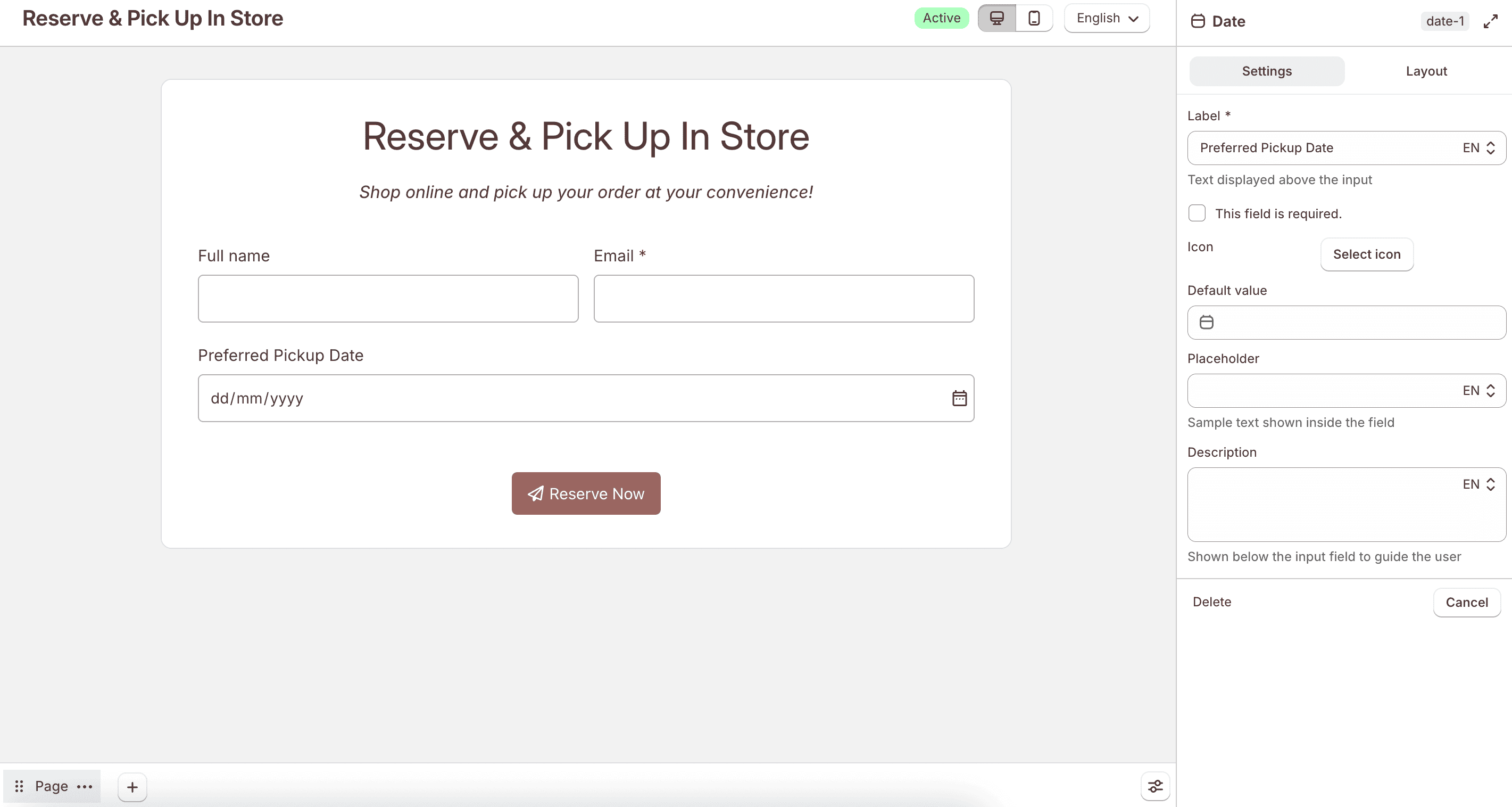
Configure the label, required state, icon, Default value, placeholder, and description.
In the Advanced tab, save the answer to a Customer metafield when the customer is logged in. Customer information is not available for date fields.
Under Save this field to, choose Customer metafield, enter a Name (for example, Birth date), and choose how to handle an existing value: Replace existing value or Only save if empty. Type is Date.
Guest submissions are not updated.
Time
Collects a time only.
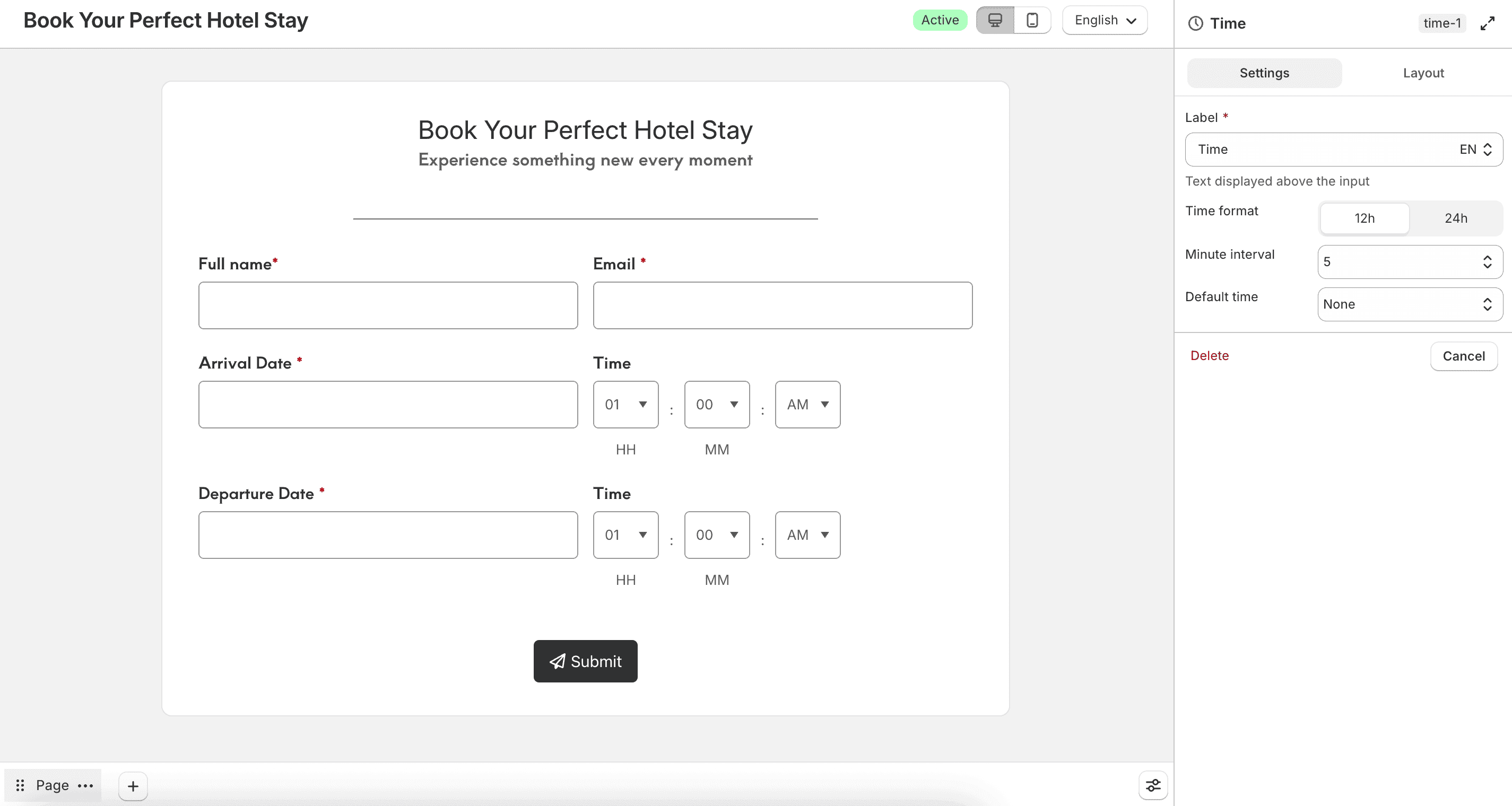
Set Time format to 12h or 24h, choose a Minute interval (1, 5, 10, 15, or 30), and set Default time to None, Current, or Custom.
Countdown
Displays a countdown timer on the form. This is a display element and does not collect a customer answer.
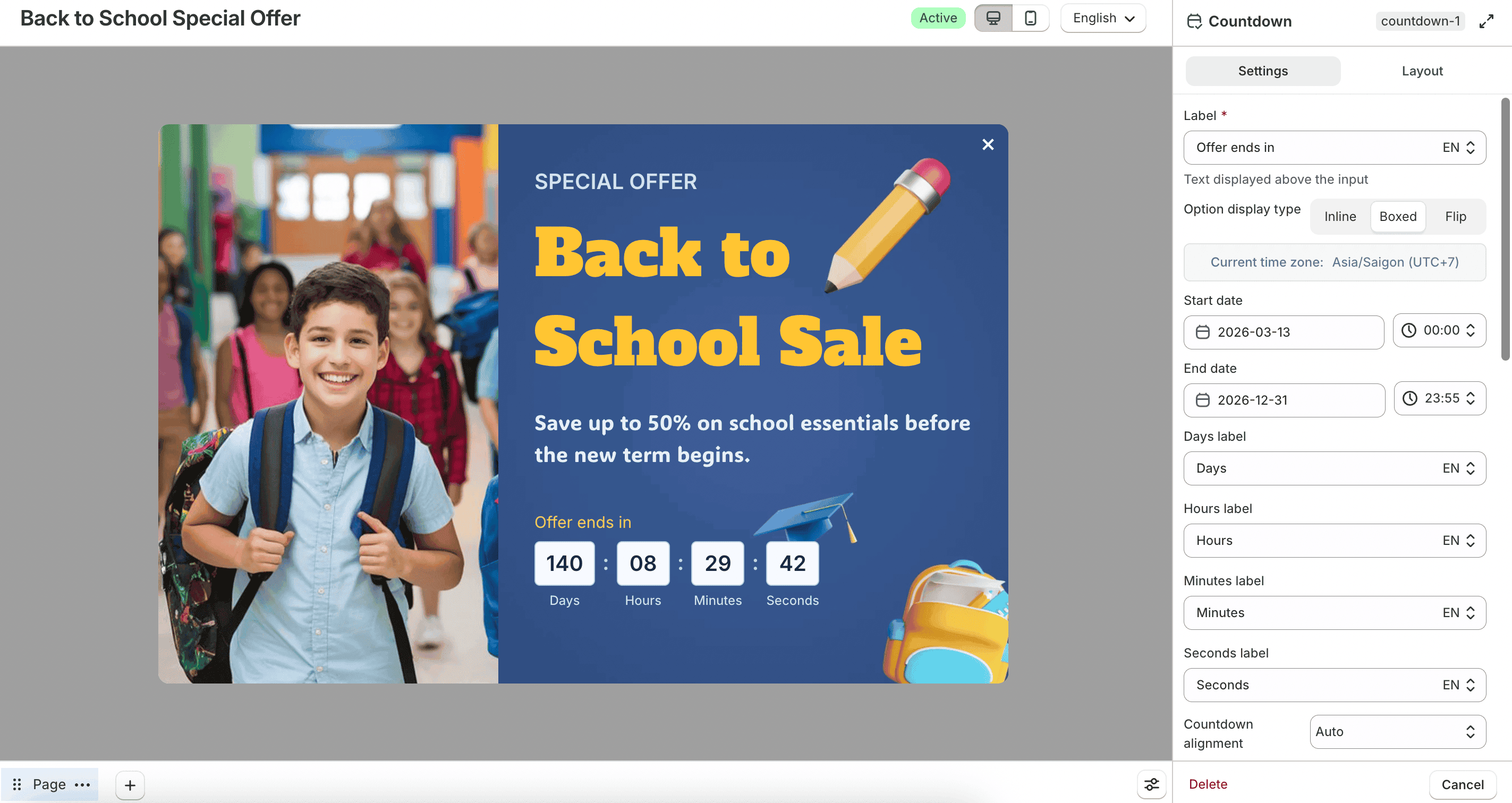
Set Option display type to Inline, Boxed, or Flip. Configure the timezone, Start date, and End date, plus labels for days, hours, minutes, and seconds.
You can also set alignment, size, and colors. Optional messages include:
- Display a message after the countdown expires with an Expiration message
- Display a message before countdown starts with a Pre-countdown message
- Show countdown box outside active time