

Appearance
Consent, internal, and feedback fields
Collect consent or verification answers before submission. Store internal values with the submission without showing them as normal inputs. Collect ratings and quick feedback.
For shared label, required, icon, placeholder, description, and layout options, see Builder elements.
Acceptance
Shows a consent checkbox, such as agreeing to terms.
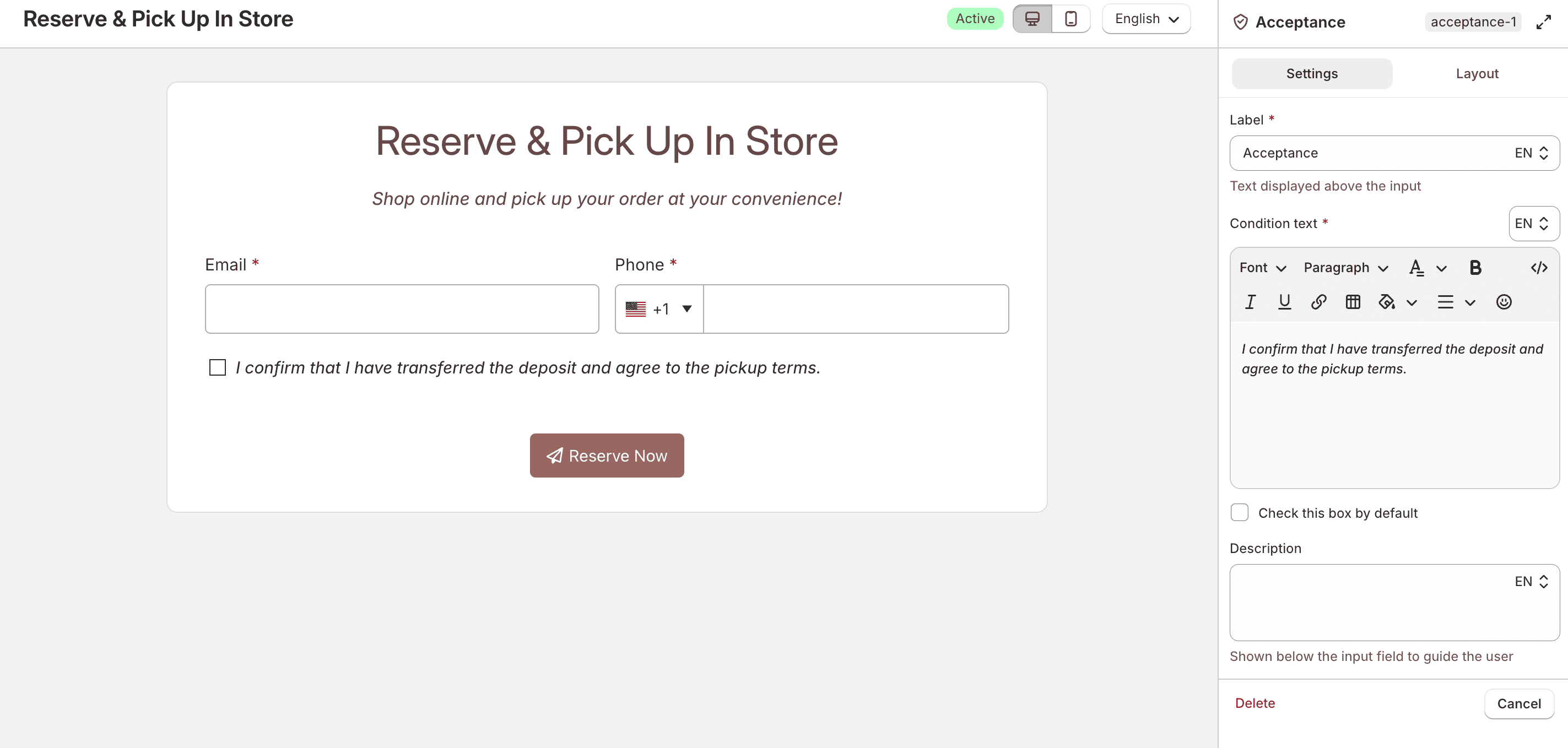
Enter the agreement text in Condition text. Enable Check this box by default if you want the box preselected.
In the Advanced tab, map a checked box to Accepts email marketing on the logged-in customer's profile.
Under Save this field to, choose Customer information, then select Accepts email marketing. When the box is checked, the customer is opted in to email marketing.
Customer metafield and overwrite options are not available for acceptance fields. Guest submissions are not updated.
Security question
Asks a question that customers must answer correctly before the form can be submitted.
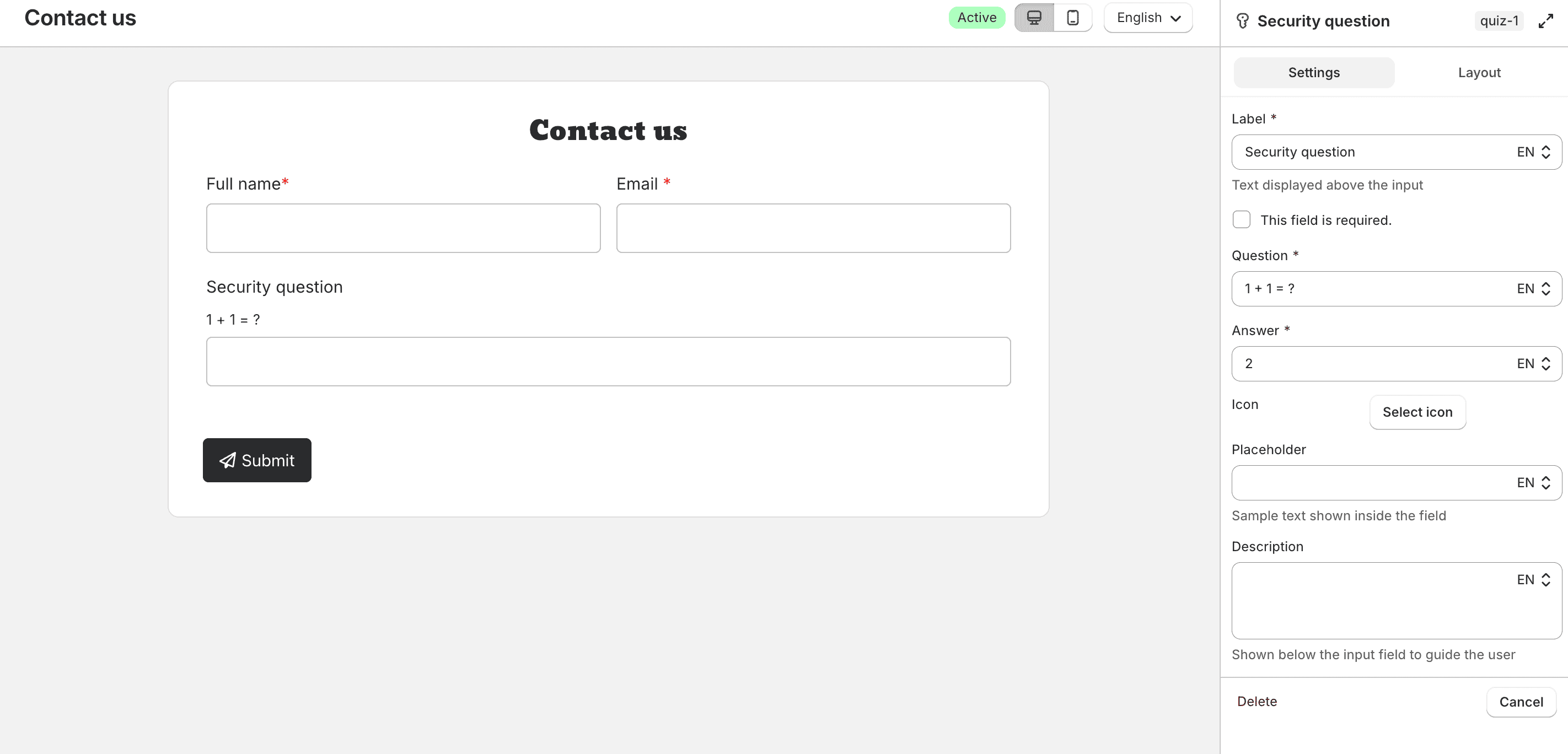
Enter the Question and expected Answer, then configure icon, placeholder, and description as needed.
Hidden
Stores a value that customers do not fill in manually.
Choose an Auto-populate value:
- Current page URL
- Current page title
- Browser language
- IP address
- Customer ID
- Product ID
- Product title
- Custom
When Custom is selected, enter the value in Custom value.
In the Advanced tab, save the hidden value to a Customer metafield when the customer is logged in. Customer information is not available for hidden fields.
Under Save this field to, choose Customer metafield, enter a Name, and choose how to handle an existing value: Replace existing value or Only save if empty. Key and Type (Single line text) are set automatically. UpForm creates the metafield definition if it does not exist yet.
Guest submissions are not updated.
Unique ID
Adds a hidden unique value to each submission. The field is not visible on the storefront and only appears on hover in preview mode. The system generates a random value, and you can add an optional Prefix or Suffix. You can add more than one Unique ID field if needed for tracking or custom logic.
In the Advanced tab, save the unique ID to a Customer metafield when the customer is logged in. Customer information is not available for Unique ID fields.
Under Save this field to, choose Customer metafield, enter a Name, and choose how to handle an existing value: Replace existing value or Only save if empty. Key and Type (Single line text) are set automatically. UpForm creates the metafield definition if it does not exist yet.
Guest submissions are not updated.
Rating
Collects a rating with icons such as stars, hearts, or smileys.
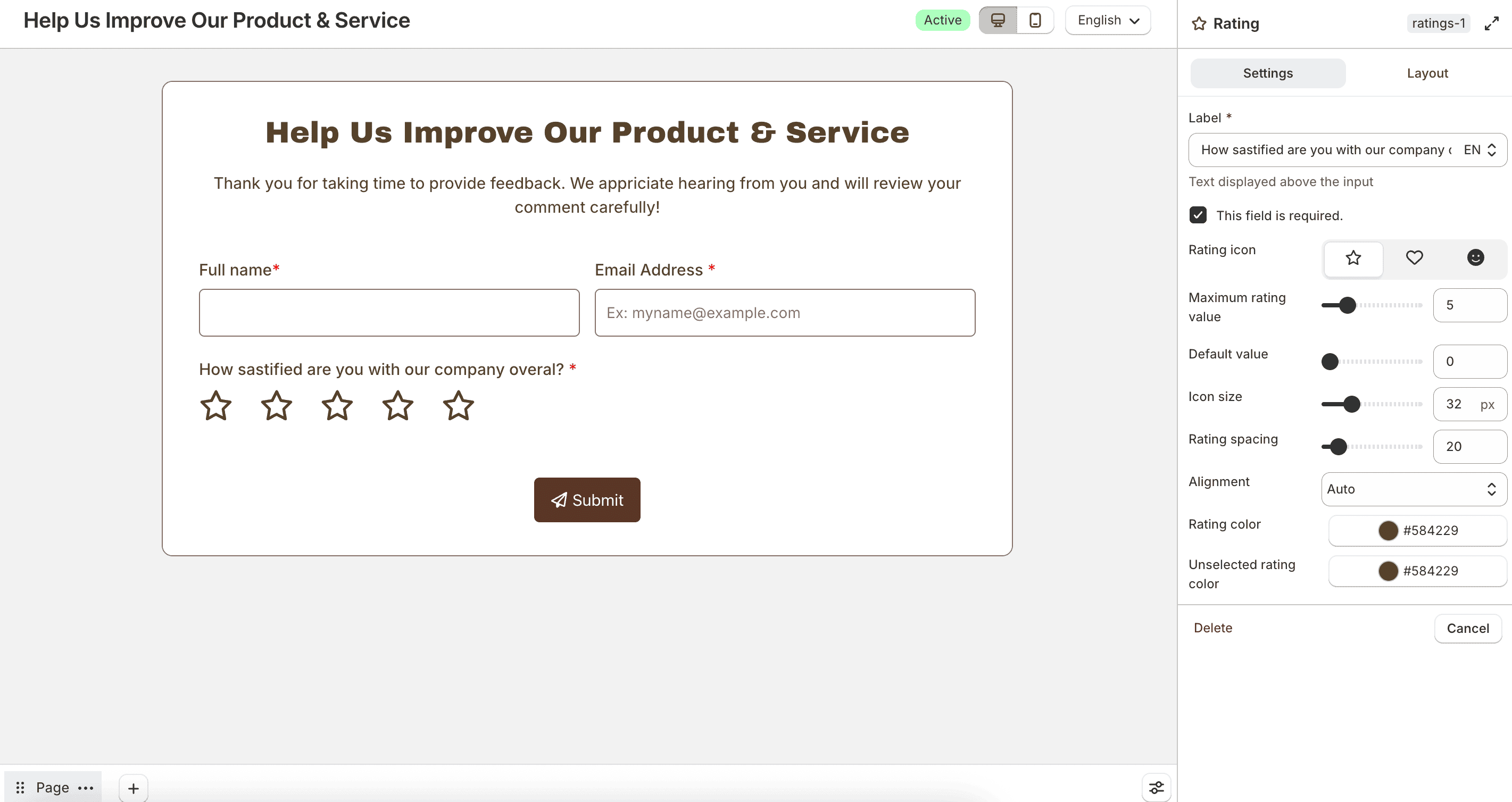
Choose a Rating icon, Maximum rating value, and Default value. You can also set icon size, spacing, alignment, and selected or unselected colors.
In the Advanced tab, save the rating to a Customer metafield when the customer is logged in. Customer information is not available for rating fields.
Under Save this field to, choose Customer metafield, enter a Name, and choose how to handle an existing value: Replace existing value or Only save if empty. Type is Rating.
Guest submissions are not updated.
Numeric rating
Collects a numeric rating on a scale.
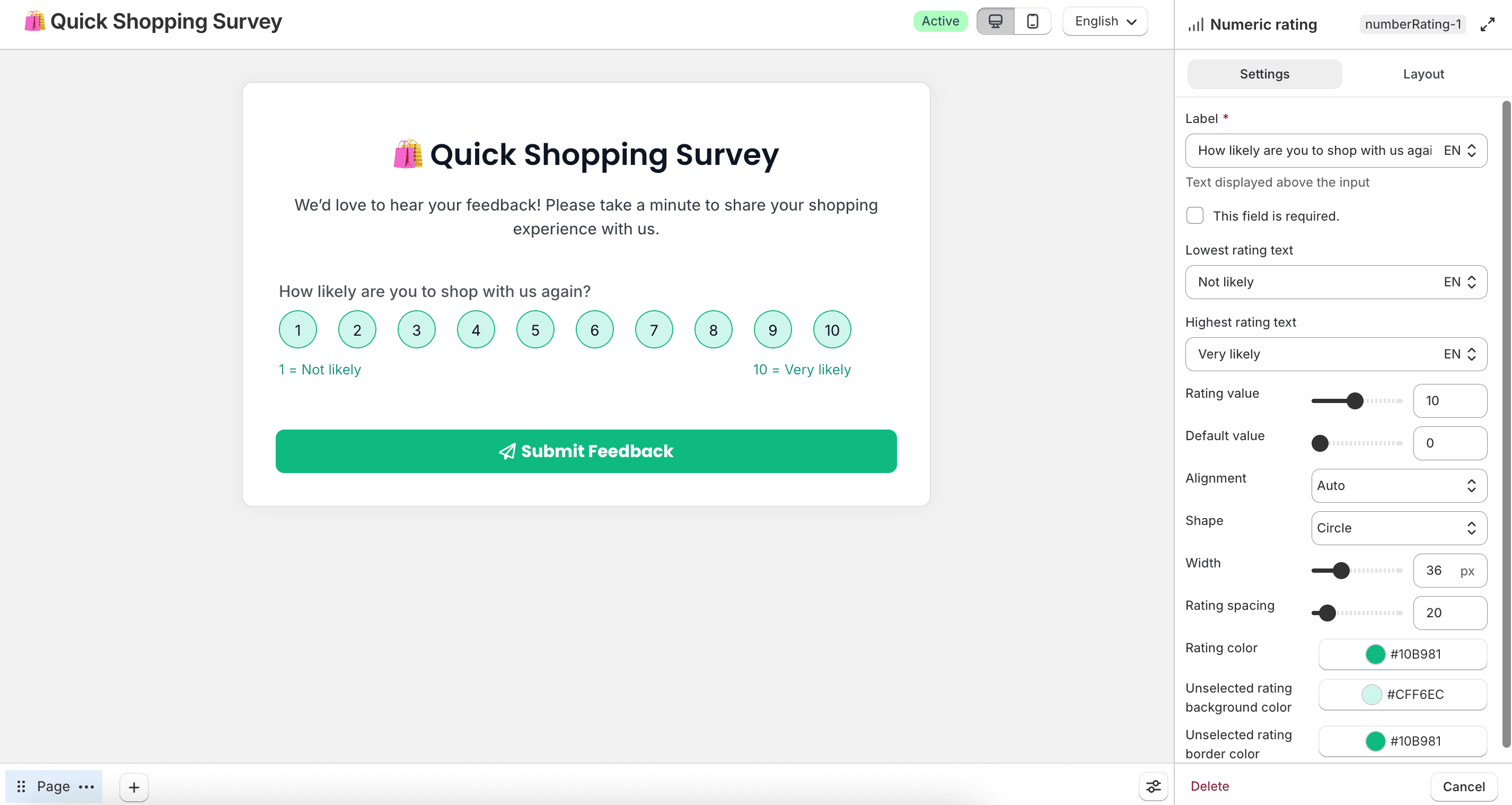
Configure Lowest rating text, Highest rating text, Rating value, default value, alignment, shape, size, spacing, and colors.
In the Advanced tab, save the rating to a Customer metafield when the customer is logged in. Customer information is not available for numeric rating fields.
Under Save this field to, choose Customer metafield, enter a Name, and choose how to handle an existing value: Replace existing value or Only save if empty. Type is Rating.
Guest submissions are not updated.
Feedback
Collects emoji-style feedback, such as very poor to excellent.
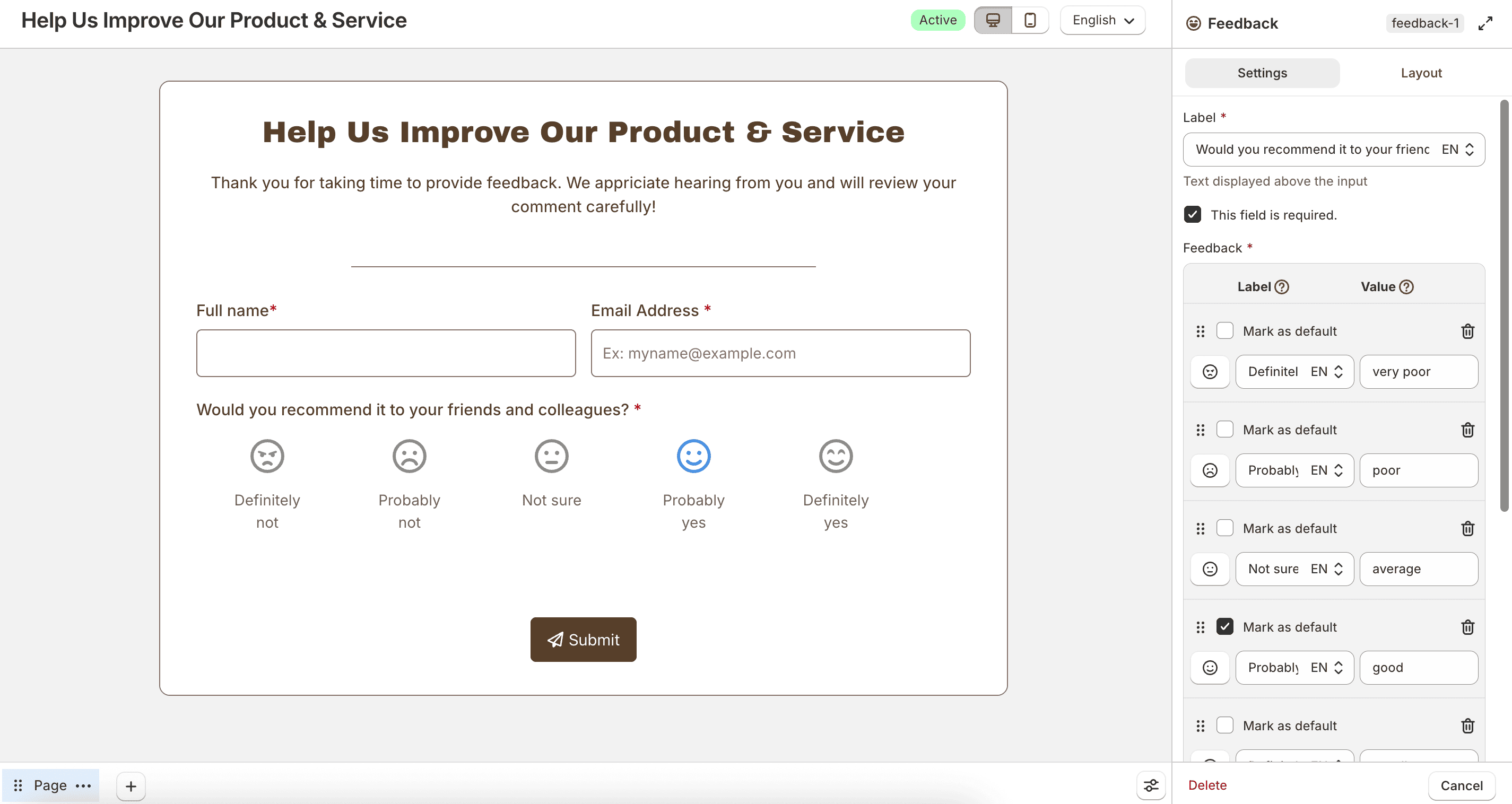
Configure the feedback options, alignment, icon size, spacing, and selected or unselected colors.
In the Advanced tab, save the feedback to a Customer metafield when the customer is logged in. Customer information is not available for feedback fields.
Under Save this field to, choose Customer metafield, enter a Name, and choose how to handle an existing value: Replace existing value or Only save if empty. Type is Single line text.
Guest submissions are not updated.