

Appearance
After submission
Use the After submission tab to choose what customers see after they submit the form. Start with After submission behavior, then configure the options for the action you selected.

Available behaviors:
- Show success message
- Show thank you page (replace form)
- Redirect to URL
- Close form for popup, float, side-in, top bar, and footer banner forms, or Do nothing for On-page forms
Show success message
Keeps the form in place and shows a confirmation message after submission.
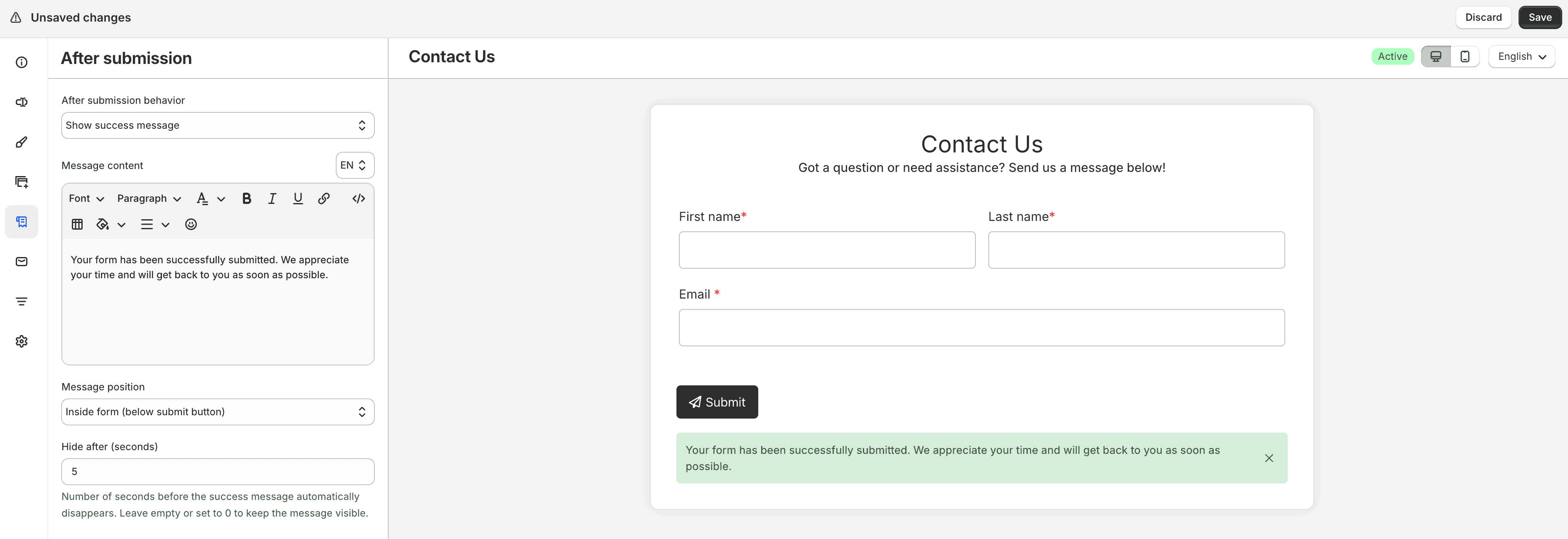
Configure:
- Message content — confirmation text; supports rich text and multiple languages
- Message position — where the message appears:
- Inside form (above fields)
- Inside form (below submit button)
- Outside form (above page content)
- Outside form (footer)
- Floating toast message
- Hide after (seconds) — how long the message stays visible; leave empty or set to
0to keep it visible
For Float, Side-in, Top bar, and Footer banner forms, the outside-form positions are not available. Use an inside-form position or Floating toast message instead.
When Message position is Floating toast message on a non–on-page form, you can enable Hide form after submission to hide the form after it is submitted.
Show thank you page (replace form)
Replaces the form with a thank you page after submission.
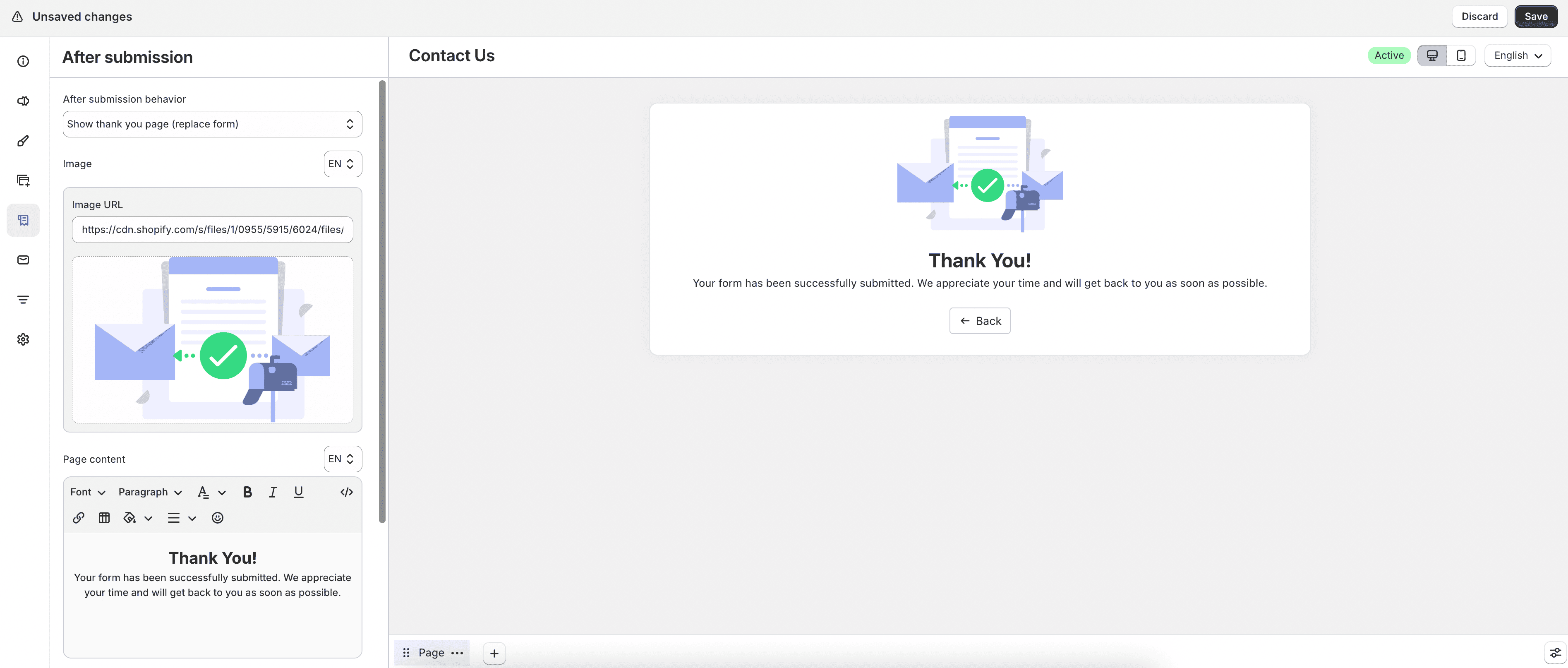
Configure:
- Image — upload an image or provide an image URL for the thank you page
- Page content — thank you text; supports rich text and multiple languages
Enable Enable back button to show a back button. Then set:
- Button label — button text and optional icon
- Back button redirect URL — leave empty to return to the form, or enter a URL to send customers to another page
For non–on-page forms, you can also enable Enable close button and set the Close button label and icon.
Redirect to URL
Sends customers to another page after they submit the form.
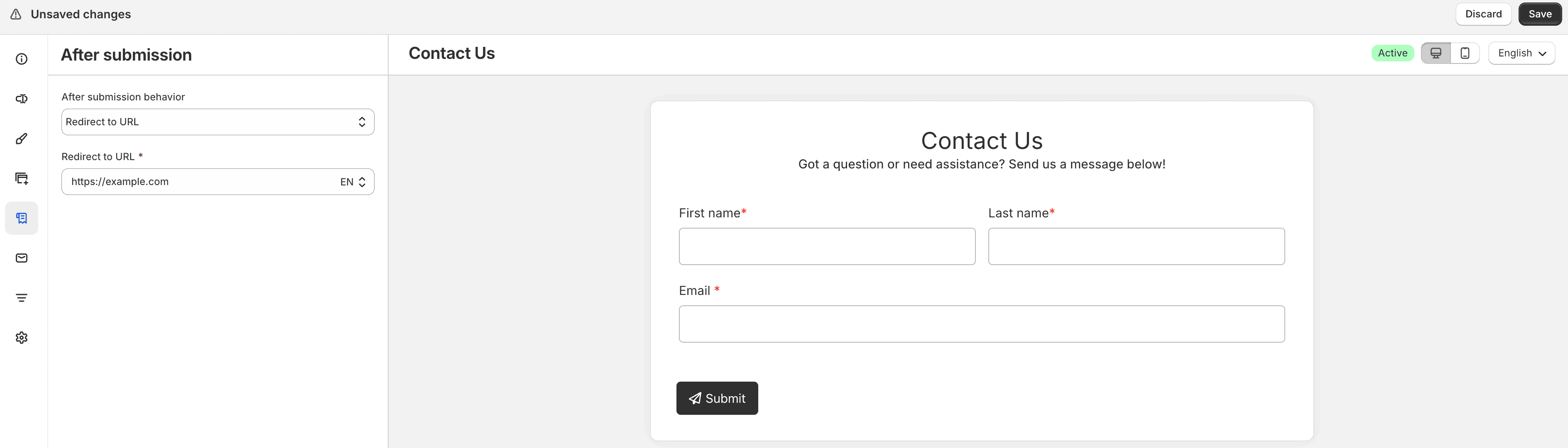
Enter the destination in Redirect to URL, such as your home page or an about page.
Close form or Do nothing
For Popup, Float, Side-in, Top bar, and Footer banner, choose Close form to close the form after submission without showing a success message, thank you page, or redirect.
For On-page forms, the same option appears as Do nothing. The form stays as it is after submission, with no message, thank you page, or redirect. This is useful for display-only forms such as announcement banners that do not need a follow-up action.