

Appearance
Remove embed codes
Use Settings → Form removal to delete UpForm embed codes from Shopify page, product, collection, or blog post content. Use this tool for On-page forms and forms added manually with embed code.
Choose the right removal method
| How the form was published | What to do |
|---|---|
| Popup, Float, Side-in, Top bar, or Footer banner (published directly) | Unpublish or change locations |
| UpForm section or block in the theme editor | Remove from Theme Editor |
| Embed code in page, product, collection, or post content | Use this Form removal tool |
Open Form removal
- In UpForm, open Settings.
- Select Form removal.
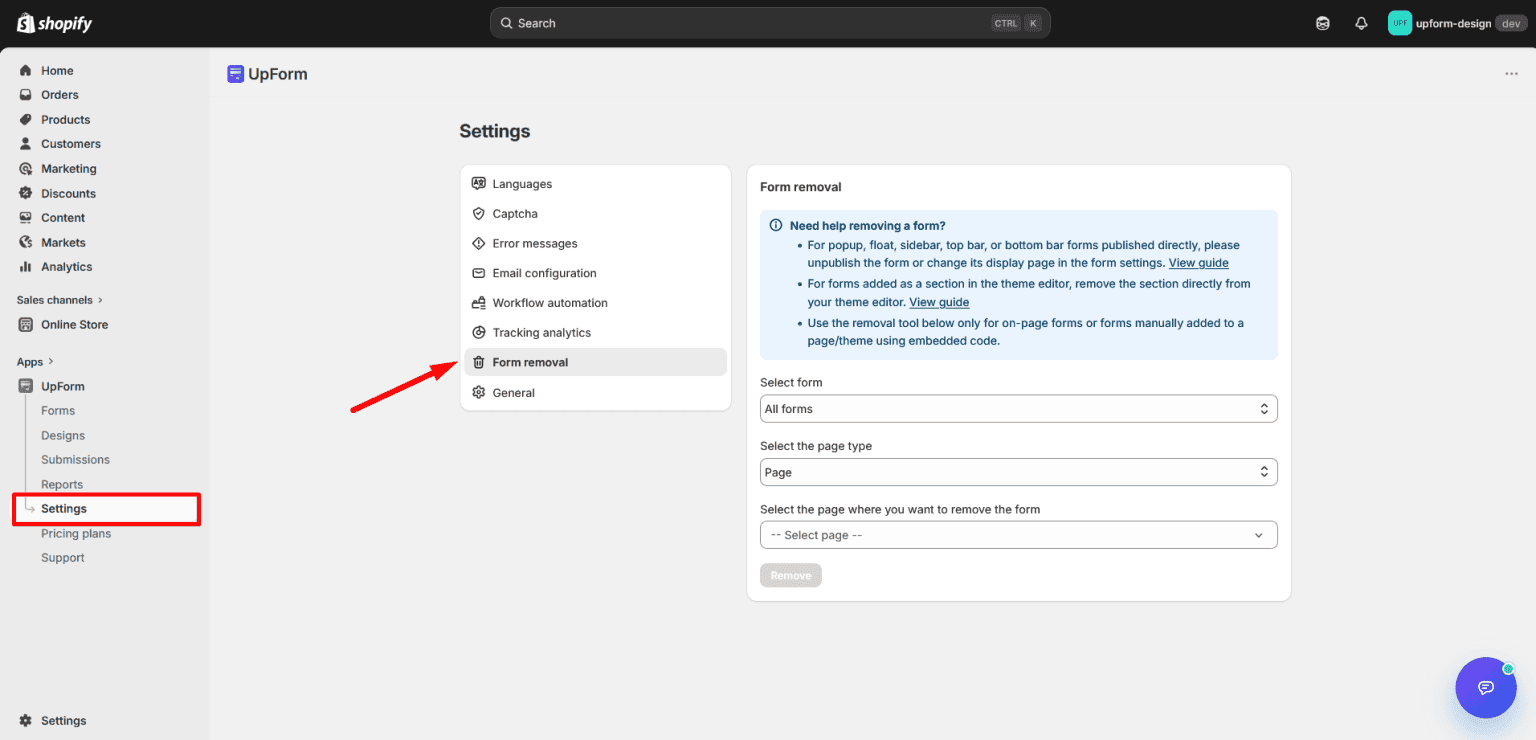
The banner explains which method to use. The tool below only removes on-page or manually embedded form codes.
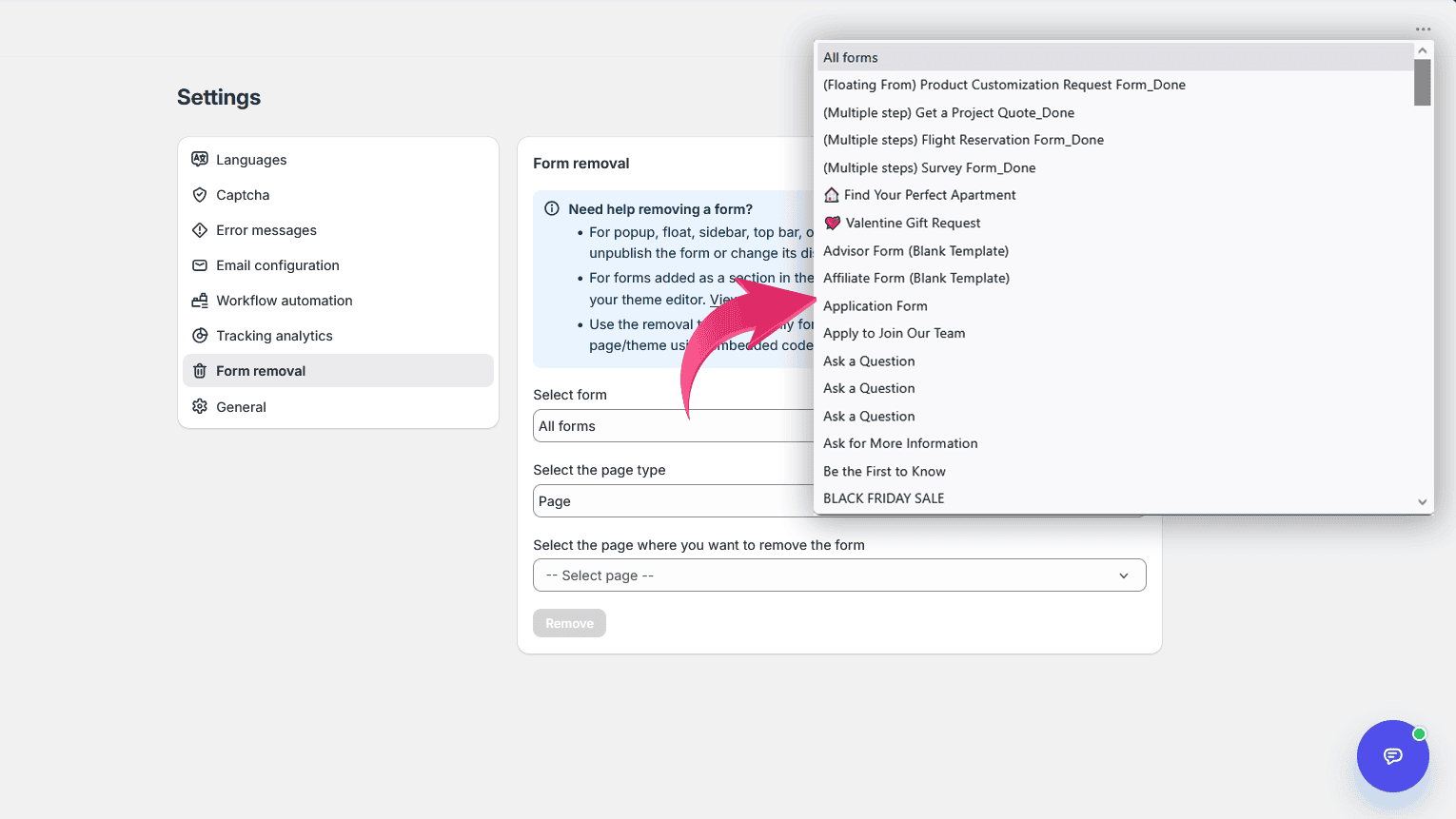
Select the form
Under Select form, choose the form you want to remove, or choose All forms to work with every UpForm embed code found on the page you select next.
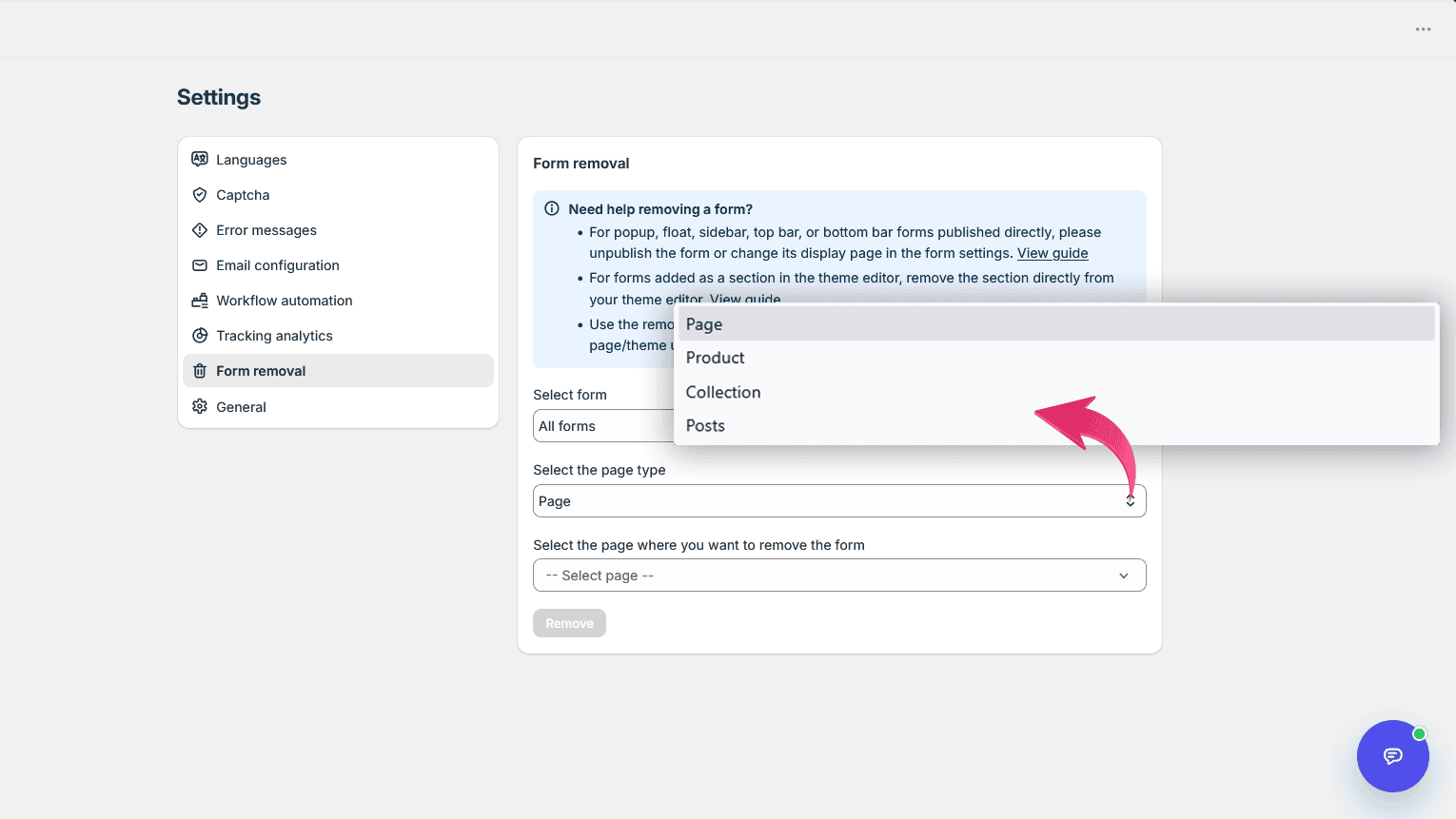
Select the page type and page
- Under Select the page type, choose where the form is embedded:
- Page
- Product
- Collection
- Posts
- Under Select the page where you want to remove the form, search and select the specific page, product, collection, or post.
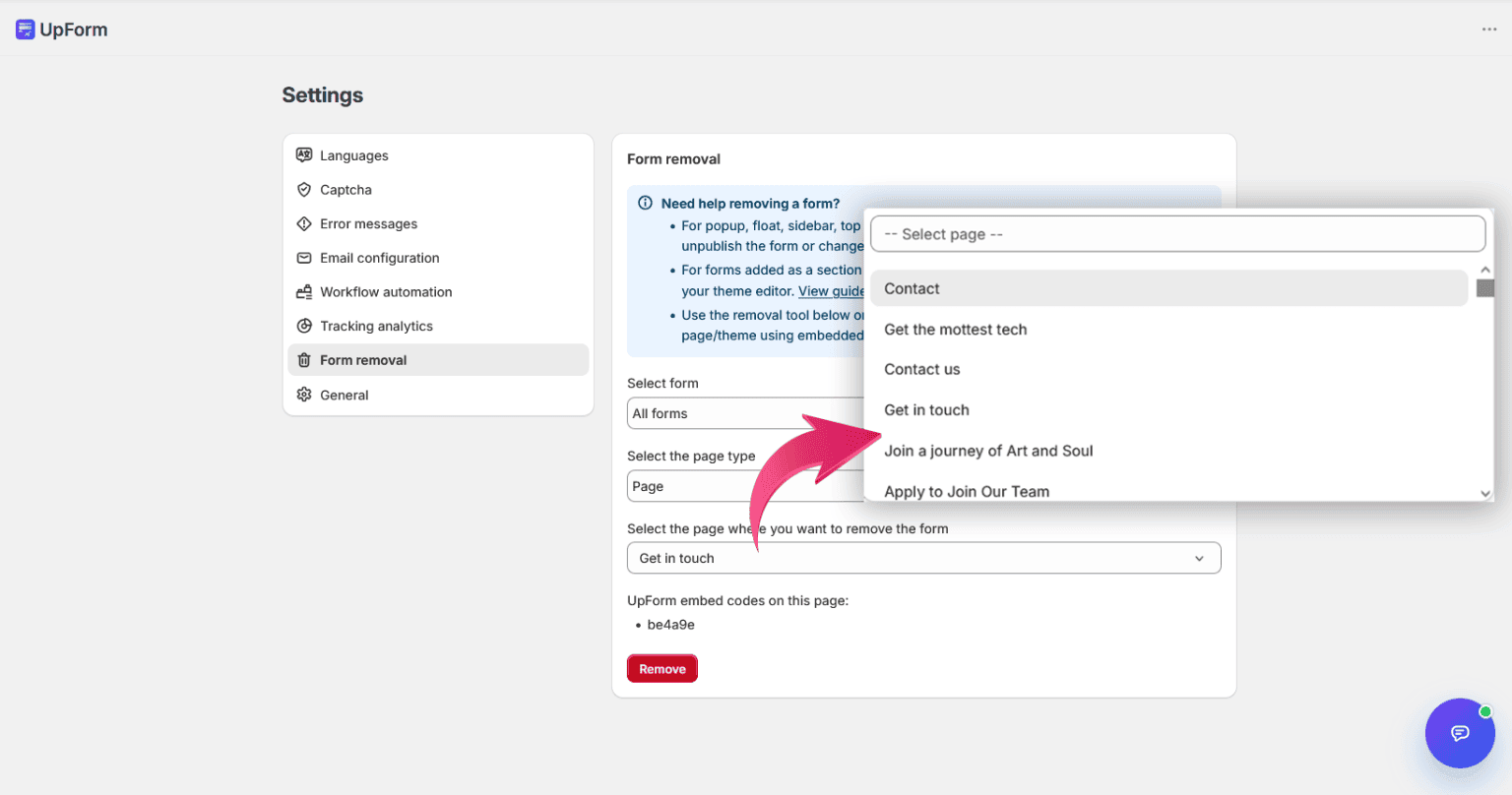
After you select a page, UpForm checks for embed codes and lists them under UpForm embed codes on this page:. If none are found, you will see a message that no UpForm embed codes were found on that page.
Review embed codes and remove
- Confirm the listed embed codes are the ones you want to remove.
- Click Remove.
- In the confirmation dialog (Remove form embed? or Remove all form embeds?), review the forms that will be removed, then click Remove.
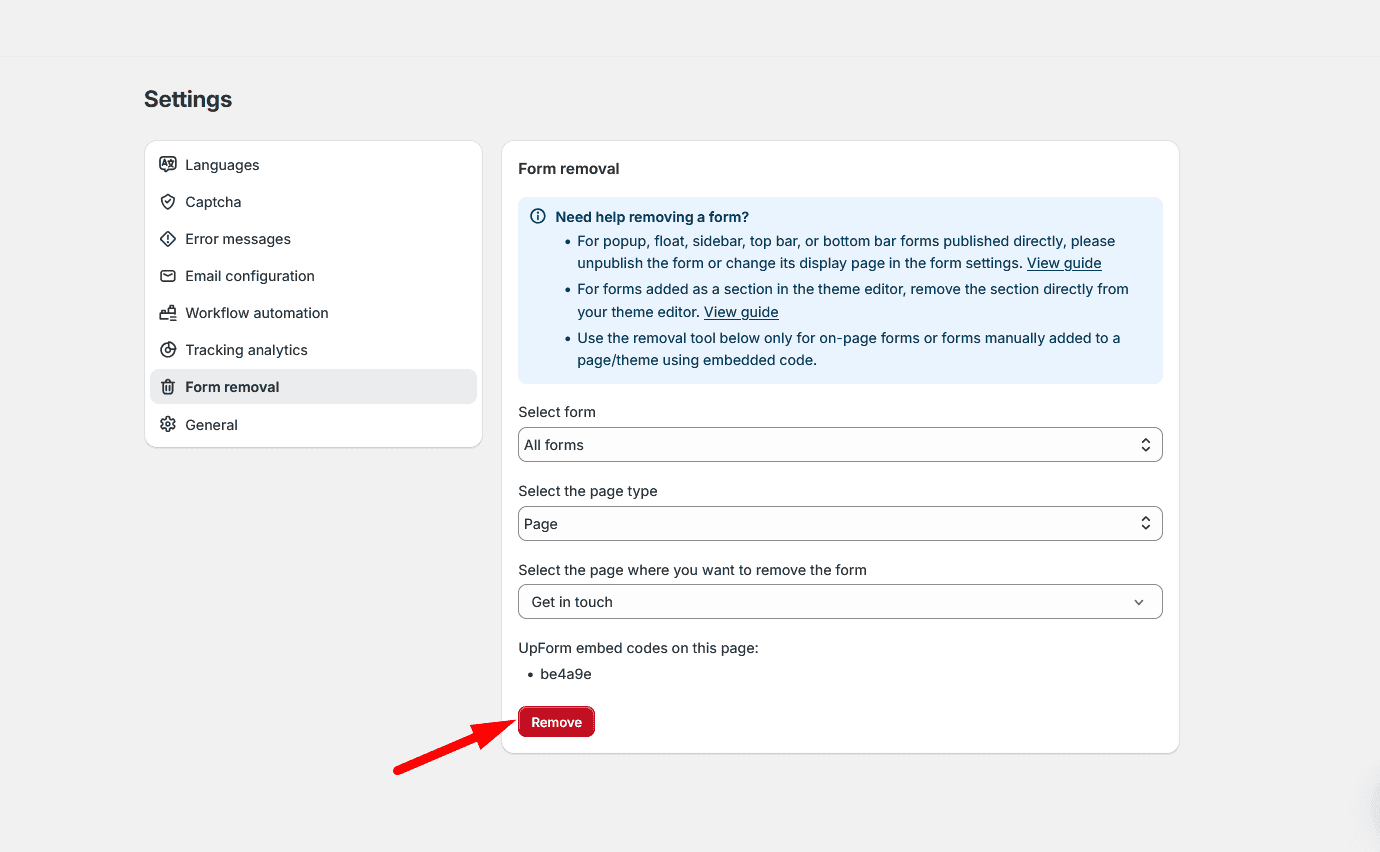
This action cannot be undone. The embed code is removed from that page’s content, so the form no longer appears there on the storefront. The form itself stays in UpForm and can be published again later.
If this does not work as expected, Contact for help.