

Appearance
Image alt text
Adding alt text to your images helps search engines interpret image content and assists screen readers for customers who use assistive technology. You can use AI to analyze images and write descriptions.
IMPORTANT
AI-generated output may be inaccurate or incomplete. Review every suggestion before you apply it or publish changes on your store. See About AI, the Terms of Service, and the Privacy Policy.
Before you begin
- Open a page in SEO Audit that includes media.
- Optionally configure AI settings for language and tone.
Generate image alt text using AI
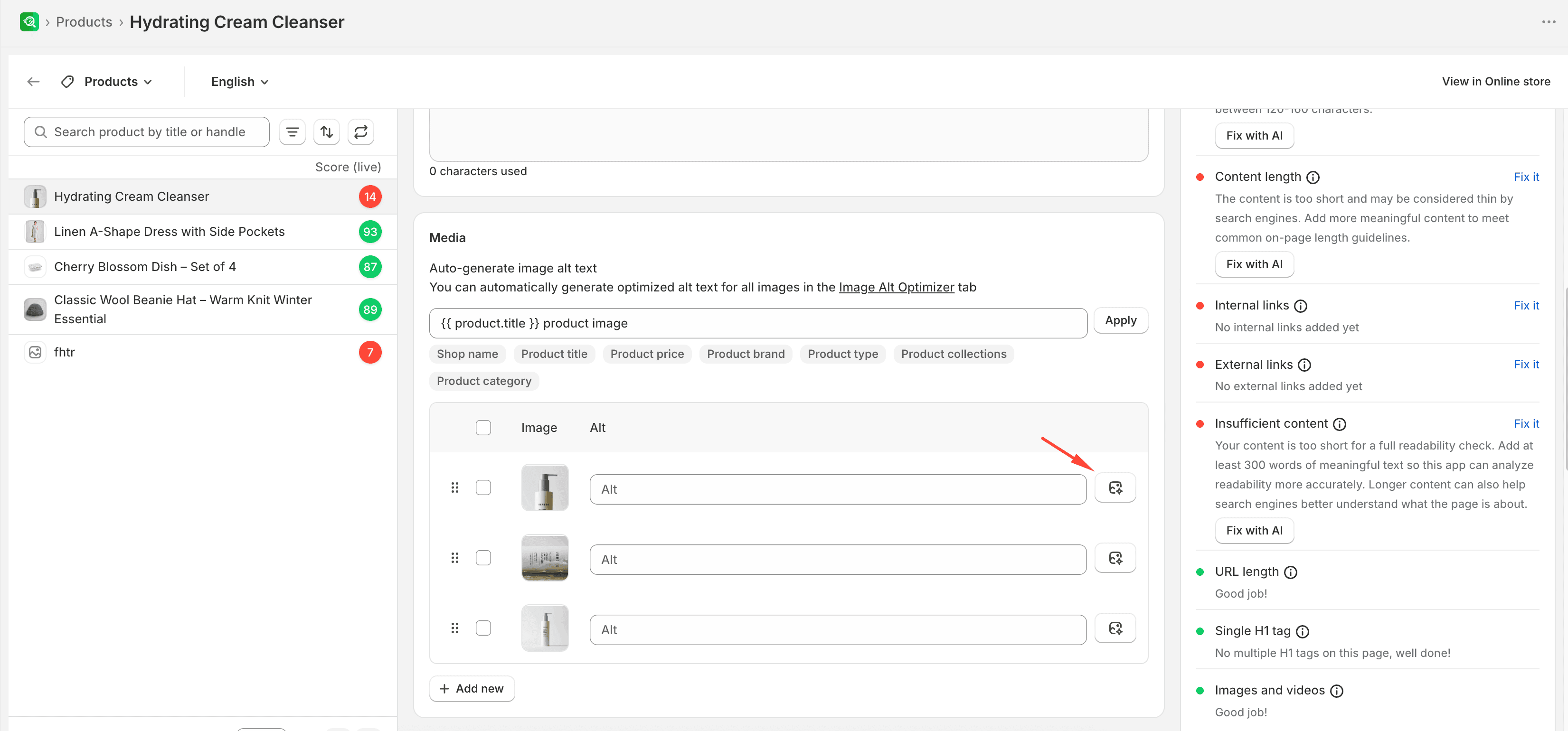
- In the SEO Audit editor, find the Media section of the page.
- Select Generate Alt image with AI on the specific image card.
- Wait until generation finishes.
- Review the suggested alt text in the text field, edit it if needed, and save your changes.
Expected result
The image card shows suggested alt text that you can edit before saving.