

Appearance
SEO analysis criteria
SEOEngine evaluates each page against a set of on-page checks. Use this page as a reference for what each check means, recommended ranges, and where to edit the matching fields.
Results appear in two places:
- SEO overview on the Dashboard, grouped by category and filtered by Issues, Improvements, or Good results
- SEO analytics in the SEO Audit page editor, with separate SEO and Readability scores
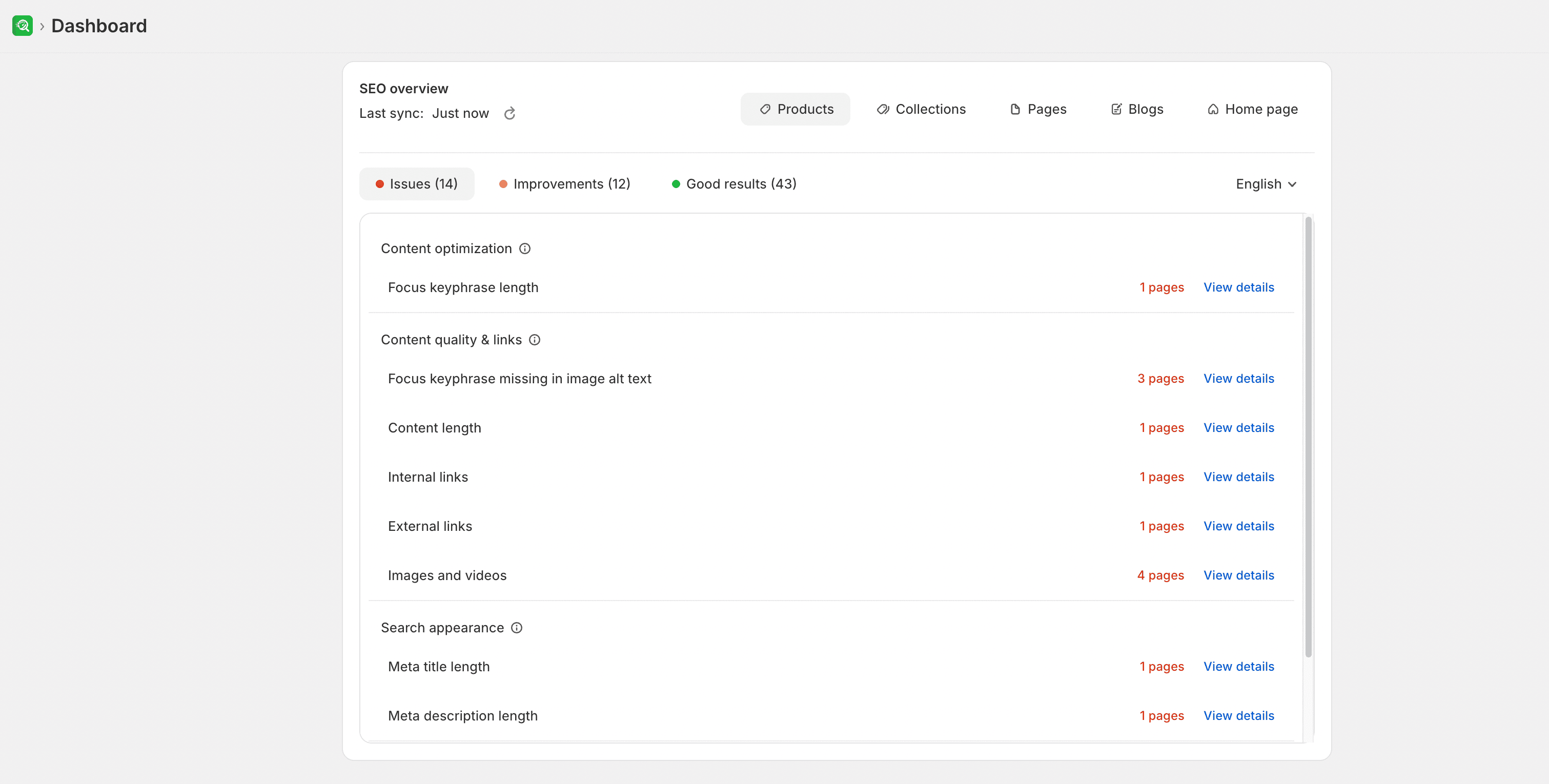
Select View details on the Dashboard, or open a page in SEO Audit, to review and fix the matching fields.
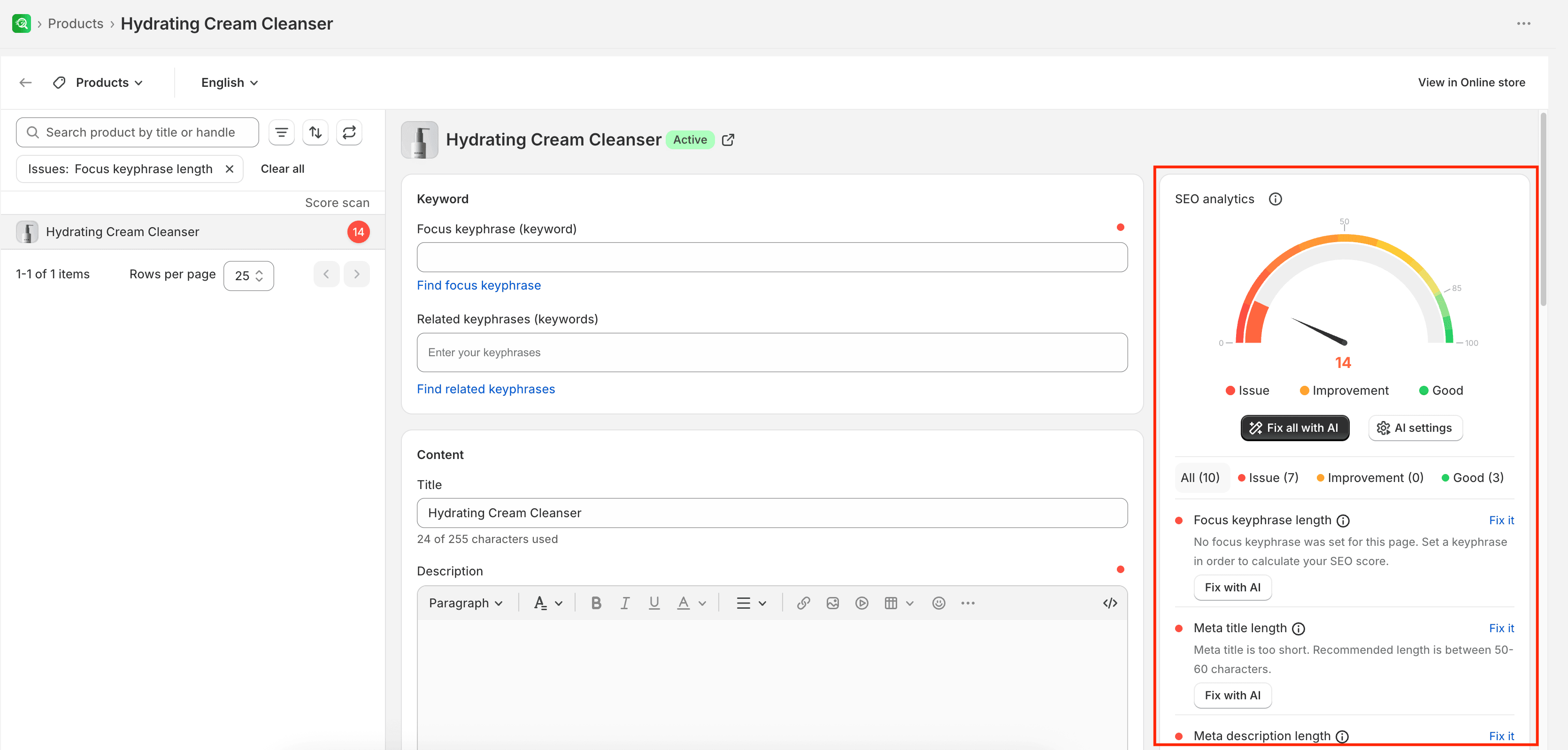
These checks help you improve how clear and complete a page is for customers and search engines. They do not guarantee higher rankings.
Before you begin
- Open a page in SEO Audit, or open SEO overview on the Dashboard.
- Set a focus keyphrase in Keyword settings in the SEO Audit editor. Without a focus keyphrase, the app cannot calculate a full SEO score for the page.
How results are grouped
Each check can appear as:
- Issues — problems that need attention, such as a missing focus keyphrase or a meta title that is too long
- Improvements — areas that work but can still be refined
- Good results — checks that already meet the recommended range
In SEO Audit, you can also filter pages by SEO score ranges such as Issues (0–49), Improvements (50–84), and Good (85–100).
Checks are organized into the same categories you see in SEO overview.
Search appearance
These checks control how a page may look in search results and whether keyphrases appear in the listing text.
| Criteria | What it checks |
|---|---|
| Focus keyphrase in meta title | The meta title includes an exact match of your focus keyphrase. Placing it near the beginning is preferred. |
| Focus keyphrase in meta description | Words from the focus keyphrase appear about 1–2 times in the meta description. |
| Related keyphrases in meta title | Related keyphrases appear at least once in the title or meta title. |
| Related keyphrase in meta description | Related keyphrases appear at least once in the meta description. |
| Related keyphrase length | You have a useful set of related keyphrases (about 2–4). |
| Meta title length | Meta title length is within the recommended range. Aim for about 50–60 characters, and keep it under 60 when possible. |
| Meta description length | Meta description length is between 120 and 160 characters. |
Content quality & links
These checks review page structure, media, and links.
| Criteria | What it checks |
|---|---|
| Focus keyphrase in title | The page or product title (H1) includes an exact match of your focus keyphrase. |
| Focus keyphrase missing in image alt text / Image alt attributes in content | At least one image has descriptive alt text, and the focus keyphrase is included when it fits naturally. Keep alt text around 125 characters. |
| Single H1 tag | The page has one clear H1, usually the page or product title. Multiple H1 tags can make the main topic harder to identify. |
| Content length | The page has enough meaningful content for its type. Product pages often aim for at least 300 words; content pages often aim for at least 800 words. |
| Internal links | The content includes at least one link to another page on your store. |
| External links | The content includes at least one relevant link to another website when it helps readers. |
| Images and videos | The page includes supporting media, with descriptive alt text for images. |
Content optimization
These checks measure how well your focus keyphrase and related keyphrases are used in the page content and URL.
| Criteria | What it checks |
|---|---|
| Focus keyphrase length | A focus keyphrase is set and kept concise. A length of no more than 4 words is recommended. |
| Focus keyphrase in introduction / Focus keyphrase missing in introduction | The focus keyphrase appears in the first paragraph, ideally in the first sentence. |
| Keyword density | Focus keyphrase density stays between about 0.5% and 2.5% of the page text. |
| Focus keyphrase in URL | The URL slug includes the focus keyphrase words. For short keyphrases (1–2 words), include all words; for longer keyphrases, include more than half. |
| Related keyphrase density | Each related keyphrase appears at least once in the page content. |
| URL length | The URL stays concise. Shorter URLs (under 60 characters) are easier to read and share. |
Readability
These checks measure how easy the page content is to read. Some readability checks need enough text to run; pages with very little content may show Insufficient content first.
| Criteria | What it checks |
|---|---|
| Insufficient content | The page has enough text for a fuller analysis. Aim for more than 300 words of meaningful content. |
| Sentence length | Most sentences stay readable. If more than 25% of sentences are longer than 20 words, shorten some of them. |
| Paragraph length | Paragraphs stay below about 120 words. |
| Transition words | Transition words (such as “because”, “therefore”, or “besides”) appear in at least about 30% of sentences. |
| Consecutive sentences | The text does not start 3 or more sentences in a row with the same word. |
| Flesch Reading Ease | The Flesch score indicates how easy the text is to read on a 0–100 scale. Higher scores are easier to read. Prefer shorter sentences and simpler wording. |
| Subheading distribution | Longer content uses subheadings (H2, H3, and similar) to break up the text. For content over about 300 words, aim for a subheading about every 300 words. |
Indexing and visibility
These checks control whether search engines can include the page in results and follow its links. Configure them in Advanced settings in the SEO Audit editor.
| Criteria | What it checks |
|---|---|
| Indexing | Whether search engines are allowed to include the page in search results. |
| Link following | Whether search engines should follow links on the page. |
On the Dashboard, these may appear as Allow indexing in search results, Disallow index in search results, Allow follow, or Disallow follow.
Where to fix each type of check
| Area | Where to edit |
|---|---|
| Focus keyphrase and related keyphrases | Keyword in the SEO Audit editor |
| Title, description, and media | Content |
| Meta title, meta description, and URL handle | Search engine listing |
| Index and follow settings | Advanced settings |
| Image alt text in bulk | Image optimization → Optimize image alt text |
Expected result
After you make changes, save the page in SEO Audit. On the Dashboard, use Re-scan to refresh SEO overview counts for that resource type. If catalog data looks outdated, run Sync now first.
Limitations
- Checks do not guarantee higher search rankings.
- Without a focus keyphrase, the app cannot calculate a full SEO score for the page.
- Some readability checks need enough text; pages with very little content may show Insufficient content first.