

Appearance
SEO Audit
Use SEO Audit to scan individual pages in your store, review SEO and readability scores, and update metadata, keywords, URL handles, and advanced search crawler instructions. You can audit and optimize SEO settings for your home page, products, collections, content pages, and blog posts.
Before you begin
- Open SEOEngine from your Shopify admin.
- If your store uses multiple languages, sync languages in Settings → Languages so translated fields are available in the editor. See Languages.
- For what each SEO and readability check means, see SEO analysis criteria.
Browse and filter pages
Find pages that need optimization by browsing, searching, and filtering the audit list.
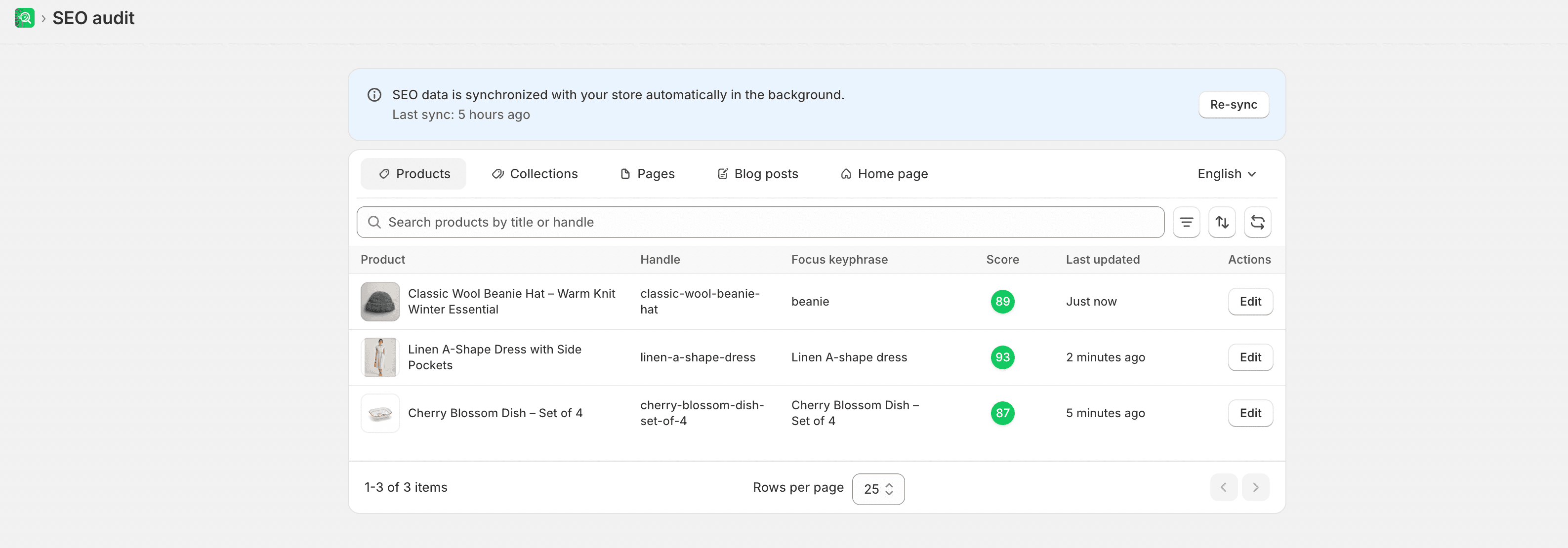
- From SEOEngine, go to SEO Audit.
- Select the tab for the page type you want to view, such as Products or Blog posts.
- Use the search bar to locate items by title or URL handle.
- Apply filters to narrow the list. Depending on the page type, you can filter by:
- Status: Active, Draft, or Archived
- SEO score: Issues (0–49), Improvements (50–84), Good (85–100), or items missing a focus keyphrase
- Attributes: For products, Vendor, Type, Tag, or active Sales Channel
- Sort the list by attributes such as title, last updated date, or SEO score.
- Select an item to open the page editor.
Expected result
The list shows matching pages for the selected tab and filters. Opening an item loads the page editor so you can review scores and edit SEO fields.
Optimize an individual page
After you select an item, use the page editor to adjust content, search previews, and crawling behavior for that page.
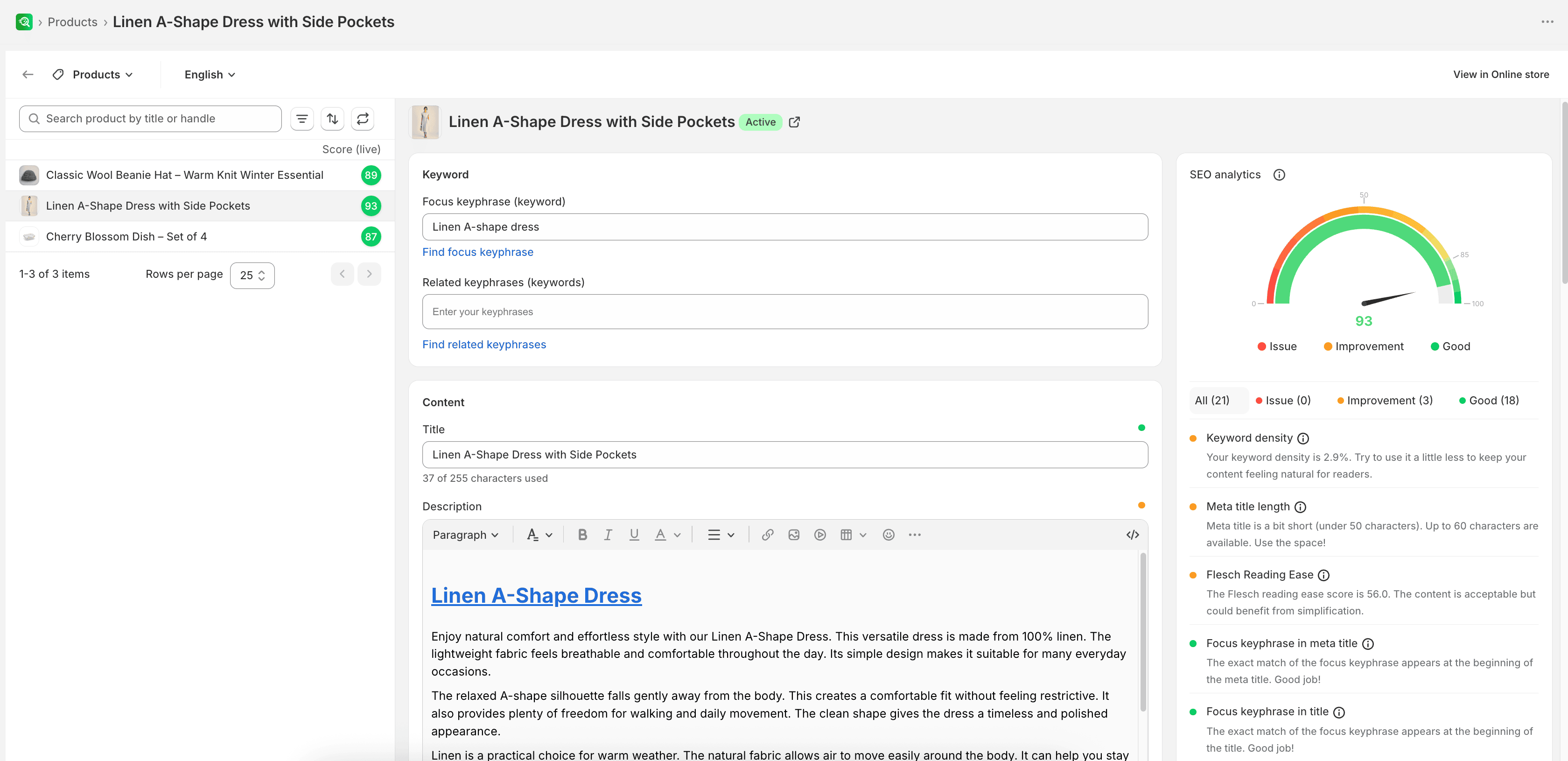
- Set Keyword settings: enter a Focus keyphrase and Related keyphrases for the search terms you want this page to rank for. You can use the built-in search suggestions tool for keyphrase recommendations.
- Edit Content fields such as the page title, body text, or associated media.
- Under Search engine listing, customize the Meta title, Meta description, and URL handle. If you change a URL handle, the app can automatically create a redirect from the old URL to the new one to prevent broken links.
- For products, edit Product identifier values such as SKU and Barcode when needed.
- Under Social sharing, customize the title, description, and preview image used when the page link is shared on social networks.
- Under Advanced settings, choose whether search engines should index the page or follow its links. You can also apply advanced robots instructions such as preventing search snippets or hiding images from search results.
- Under FAQs, enter page-specific frequently asked questions and answers to add FAQ structured data to the page.
- Review the SEO analytics panel, then select Save when the save bar appears.
Expected result
Saved fields update for that page. The SEO analytics panel refreshes as you edit so you can confirm SEO and readability scores before or after saving.
Understand the SEO analytics panel
As you make changes, the SEO analytics panel updates in real time and shows scores in two areas:
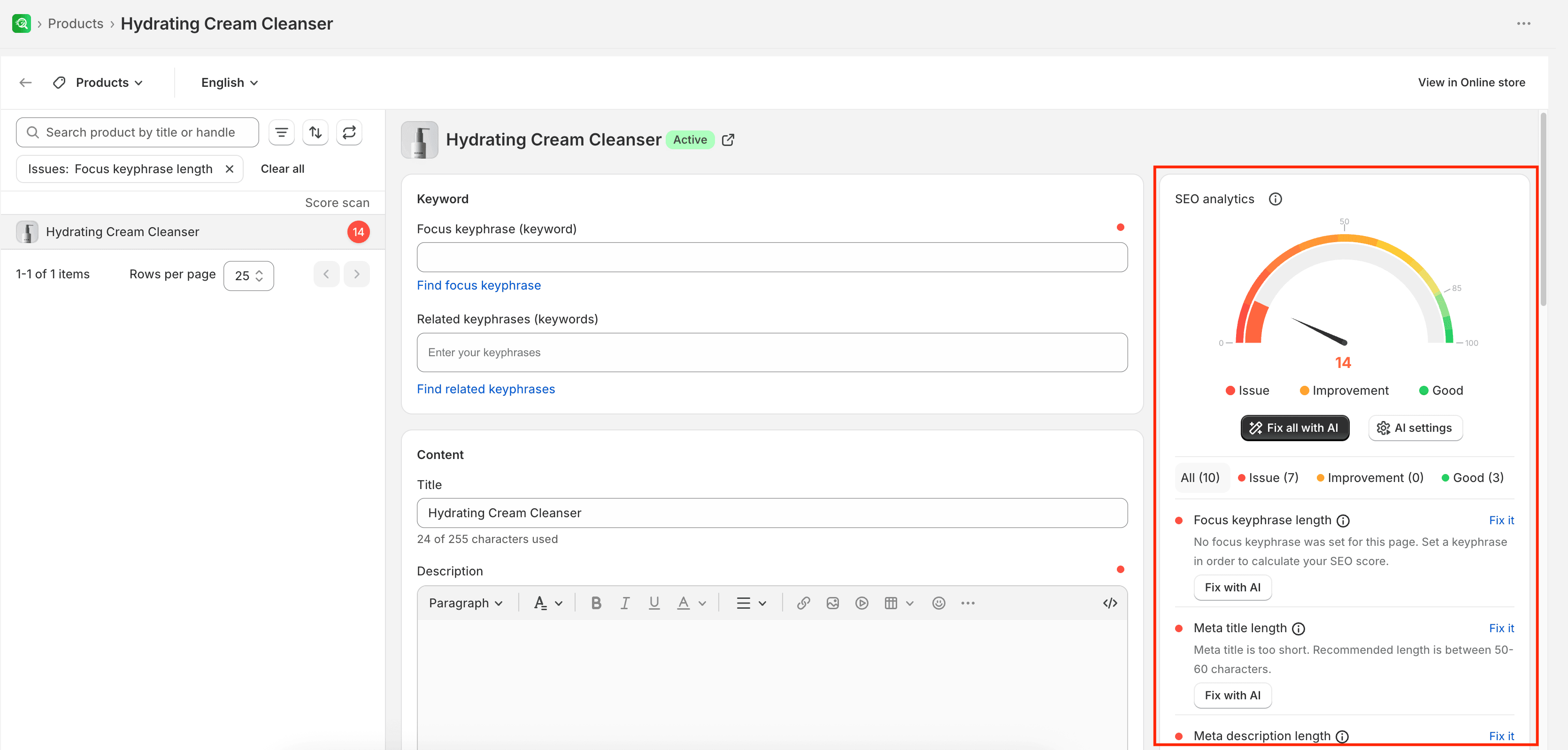
- SEO: Evaluates keyphrase usage, meta tags, URL length, links, and media attributes
- Readability: Evaluates sentence and paragraph length, transition words, Flesch Reading Ease, and subheading usage
You can filter recommendations to focus on Issues, Improvements, or Good results.
For a full list of checks, recommended ranges, and where to edit each field, see SEO analysis criteria.
Manage home page SEO
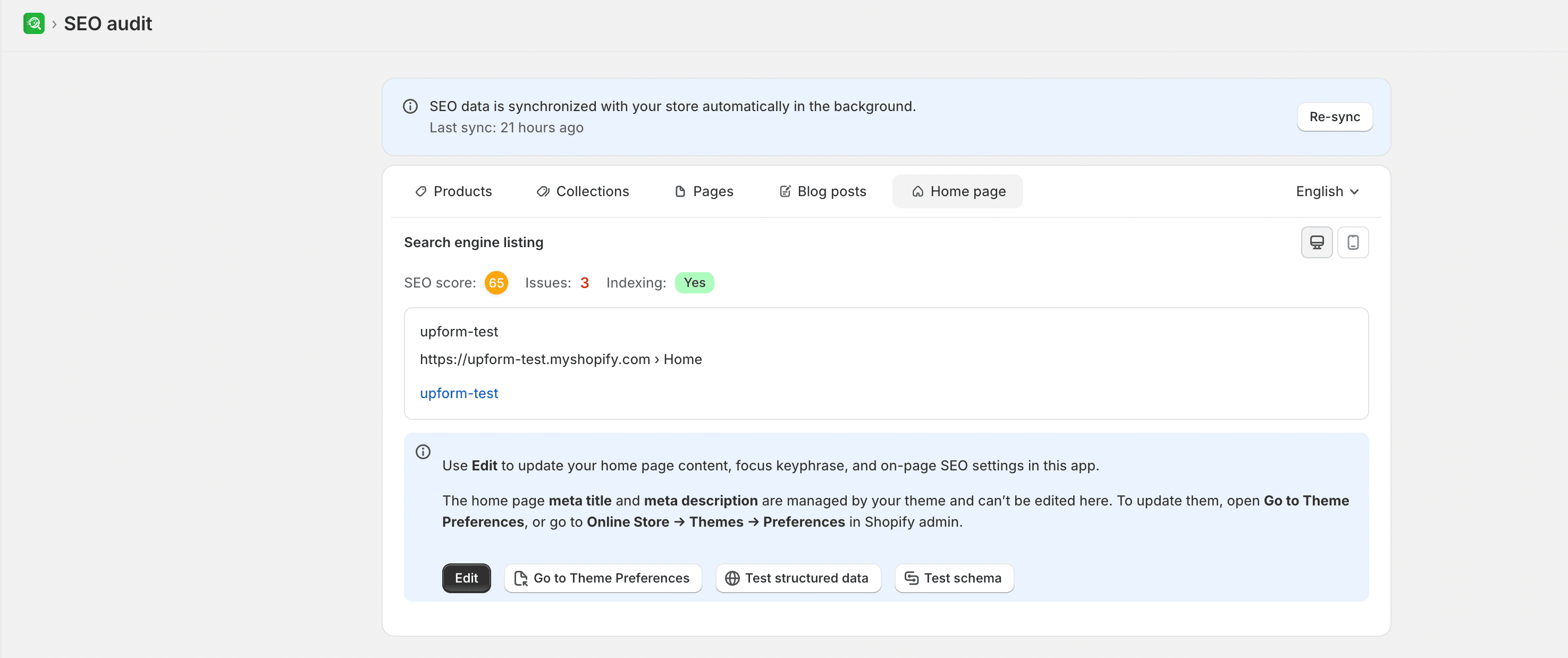
To view recommendations for your home page, go to SEO Audit and select the Home page tab.
WARNING
Because the home page meta title and meta description are managed directly by your Shopify theme, you cannot edit them in SEOEngine. To update your home page search engine listing, select Go to Theme Preferences to open the Online Store Preferences page in your Shopify admin.
Limitations
- Home page meta title and meta description cannot be edited in SEOEngine; use Go to Theme Preferences instead.
- If your store uses multiple languages, some translated fields may require a primary language value before the translation can be saved.
- SEO checks help you improve clarity and completeness for customers and search engines. They do not guarantee higher rankings.