

Appearance
XML Sitemap
An XML sitemap lists your store's essential pages and metadata so search engine bots know which URLs are available for crawling.
For a visitor-facing sitemap page, see HTML Sitemap.
Before you begin
- SEOEngine is installed and open in your Shopify admin.
- You know which products, collections, pages, and blogs should appear in the XML sitemap.
Configure your XML Sitemap
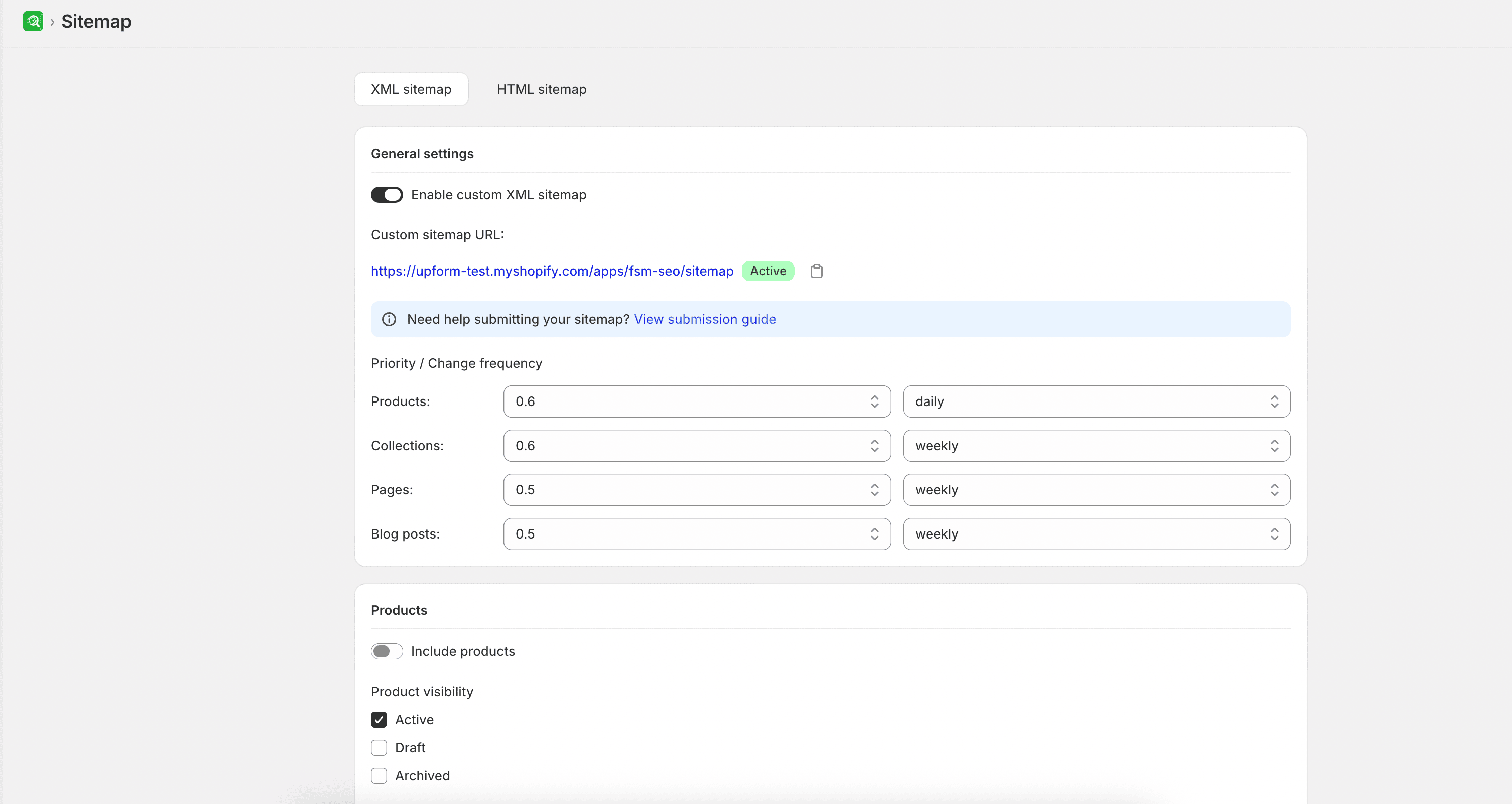
- From SEOEngine, go to Sitemap and select the XML Sitemap tab.
- Turn on the Enable XML sitemap toggle.
- Configure crawl behavior settings—such as Priority (relative importance of the pages) and Change frequency (how often the page content is expected to change)—separately for products, collections, content pages, and blog posts.
- Customize your content inclusion rules:
- Products: Enable product sitemaps, set visibility status, choose whether to exclude out-of-stock items, and set the maximum number of products listed per sitemap page (up to 1,000).
- Collections: Enable collection sitemaps, filter by collection type, and choose whether to exclude empty collections.
- Pages: Enable page sitemaps and select specific informational pages to exclude.
- Blogs: Enable blog sitemaps, select which blogs to include, and set the maximum posts per sitemap page (up to 1,000).
- Select Save.
Expected result
If your store supports multiple languages, the app generates language-specific sitemaps. You can copy the Primary sitemap URL or the language-specific URLs to submit them directly to Google Search Console or Bing Webmaster Tools.