

Appearance
Structured data
Structured data (schema markup) gives search engines standardized information about your pages. That context can support rich results such as review stars, product prices, FAQs, and breadcrumb trails.
On Structured data, turn on the schema types you need, complete any required details, and save your changes. Availability and configuration depth differ by schema type: some types include an Edit form, while others are toggles or settings only.
NOTE
The appearance of rich snippets in search results depends on search engine policies and algorithms. Enabling structured data does not guarantee that search engines will display rich snippets for your site.
Before you begin
- SEOEngine is installed and open in your Shopify admin.
- You know which schema types apply to your store (for example, a physical location for Local Business, or reviews for Review snippet).
Organization schema
Organization schema shares details about your brand or business entity with search engines.
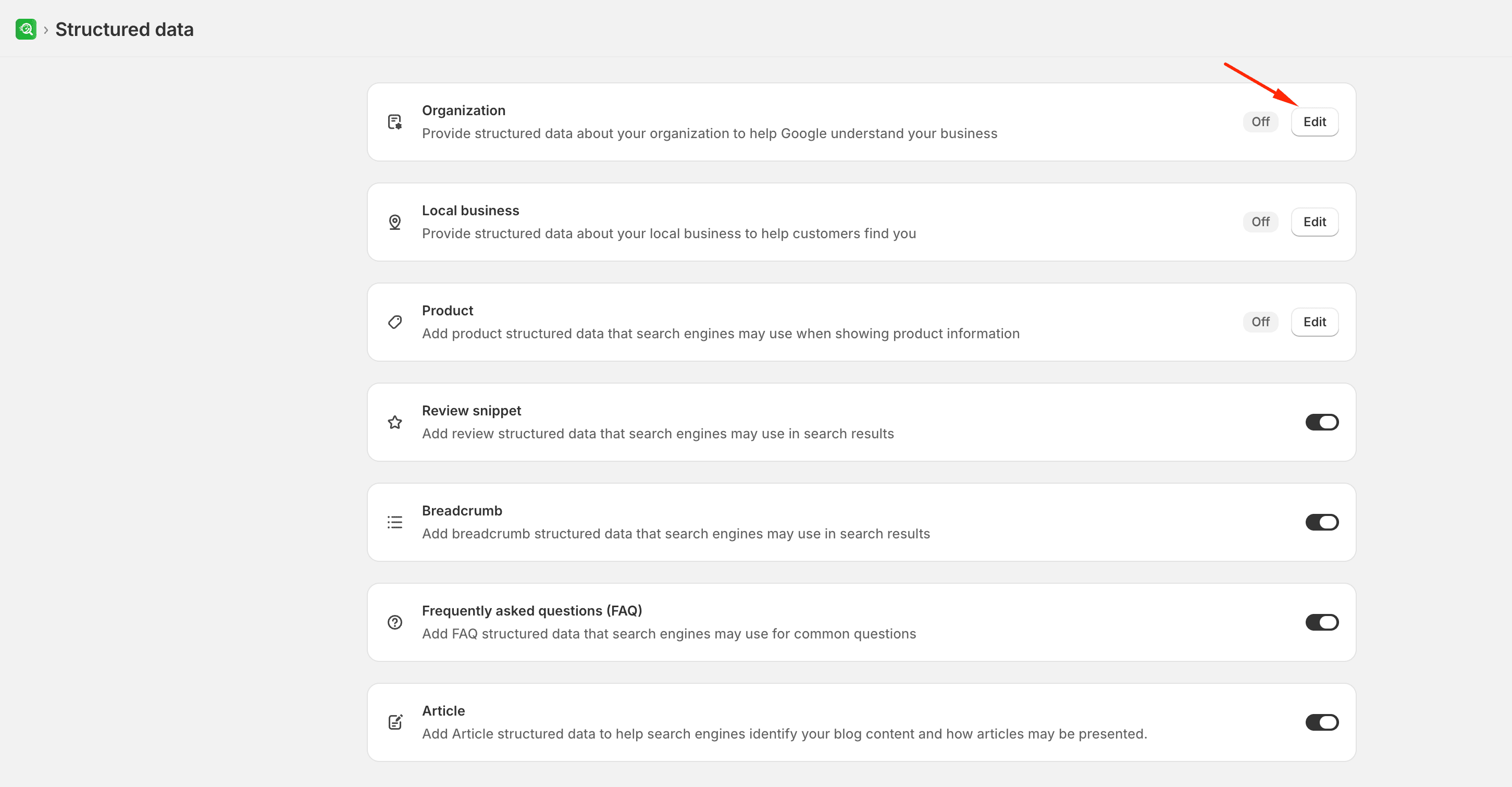
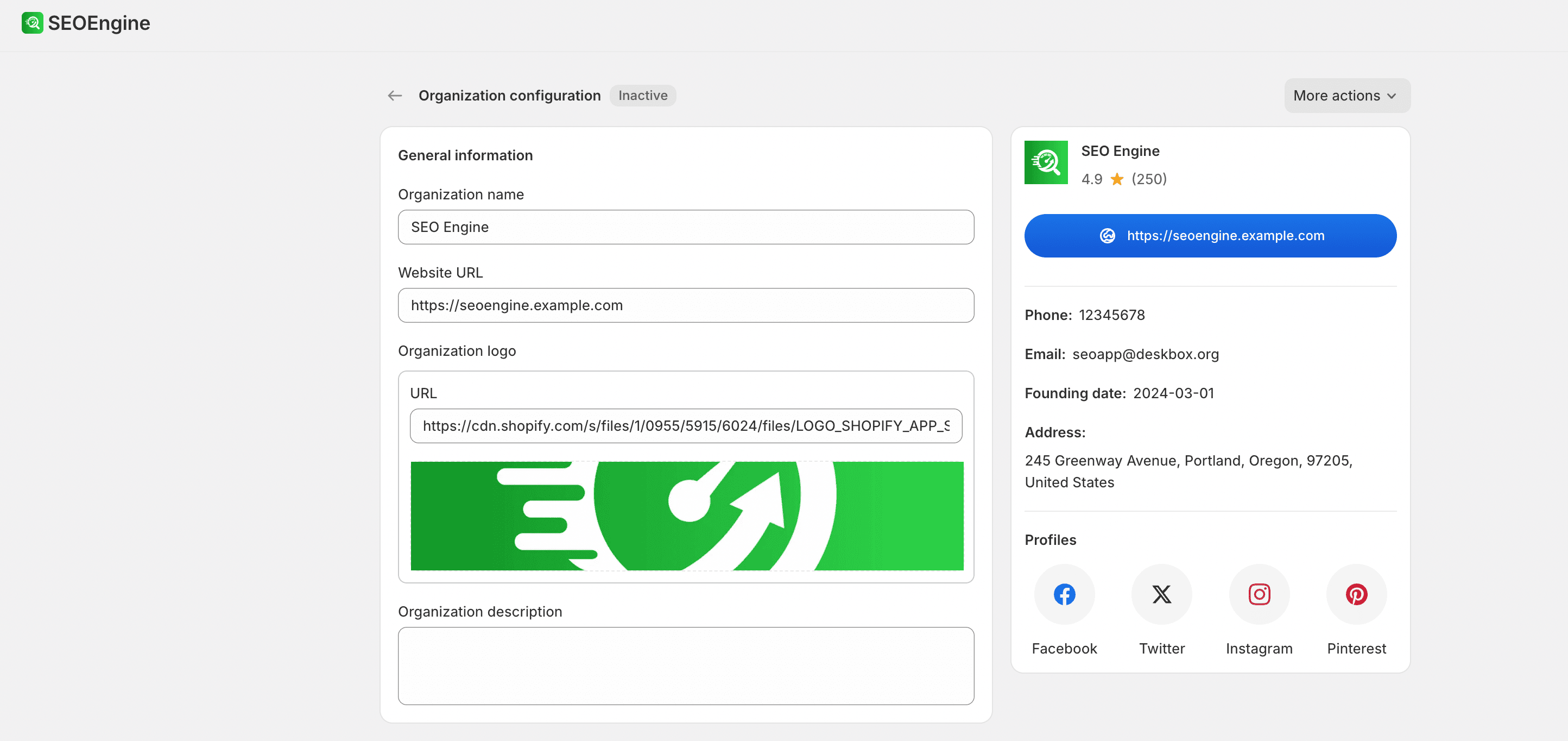
To configure organization details, enable Organization, select Edit, and fill out the fields:
- General details: Provide your organization's name, website URL, brand logo, and a brief description.
- Contact details: Enter customer support phone numbers, email addresses, and official social media profiles.
- Advanced details: Optionally add your legal name, founding date, physical address, and representative brand image.
Select Done and save the page settings to apply.
Local Business schema
If you run a physical retail location, Local Business schema helps customers find your physical address, operating hours, and location on search engines and maps.
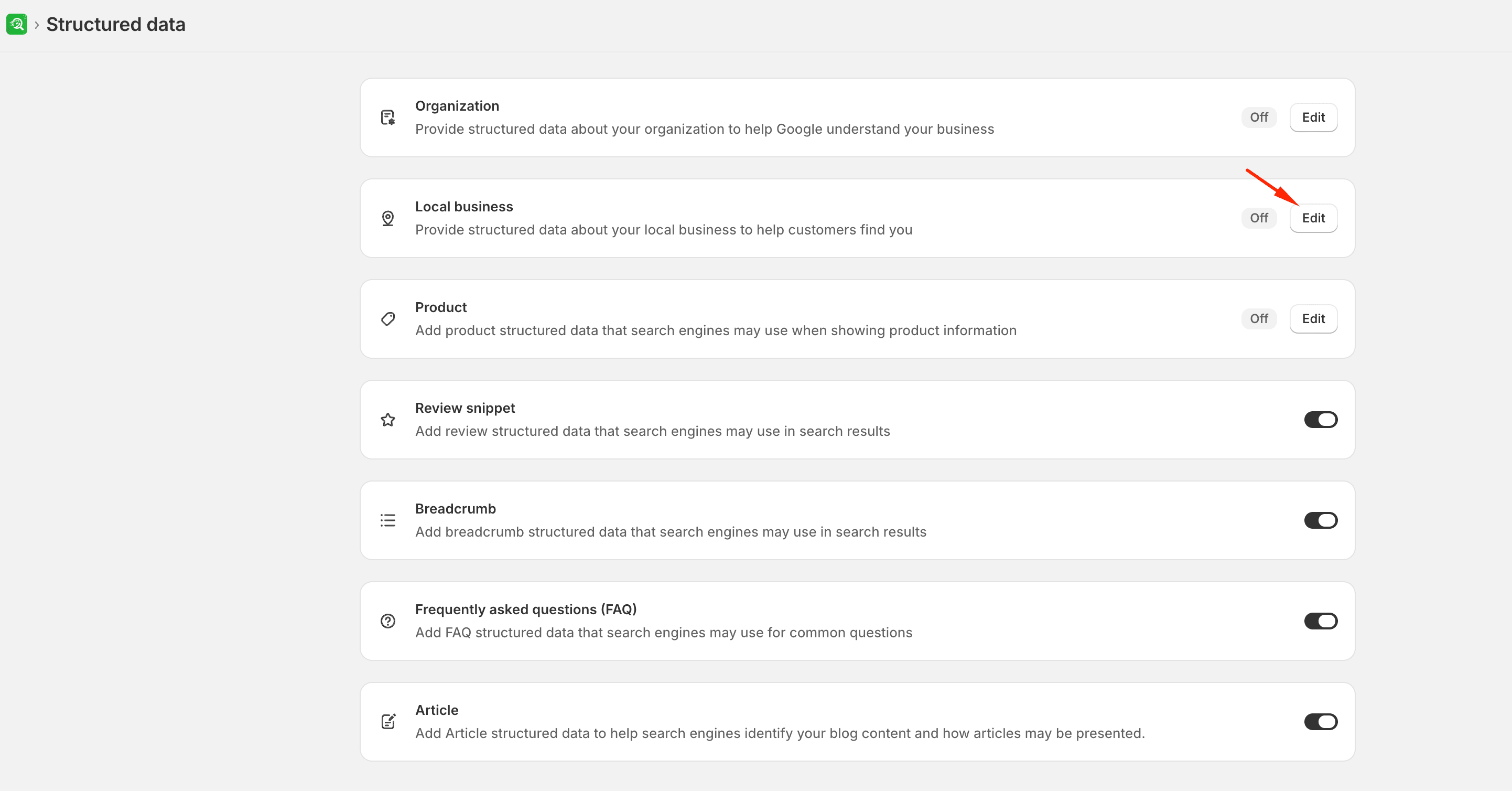
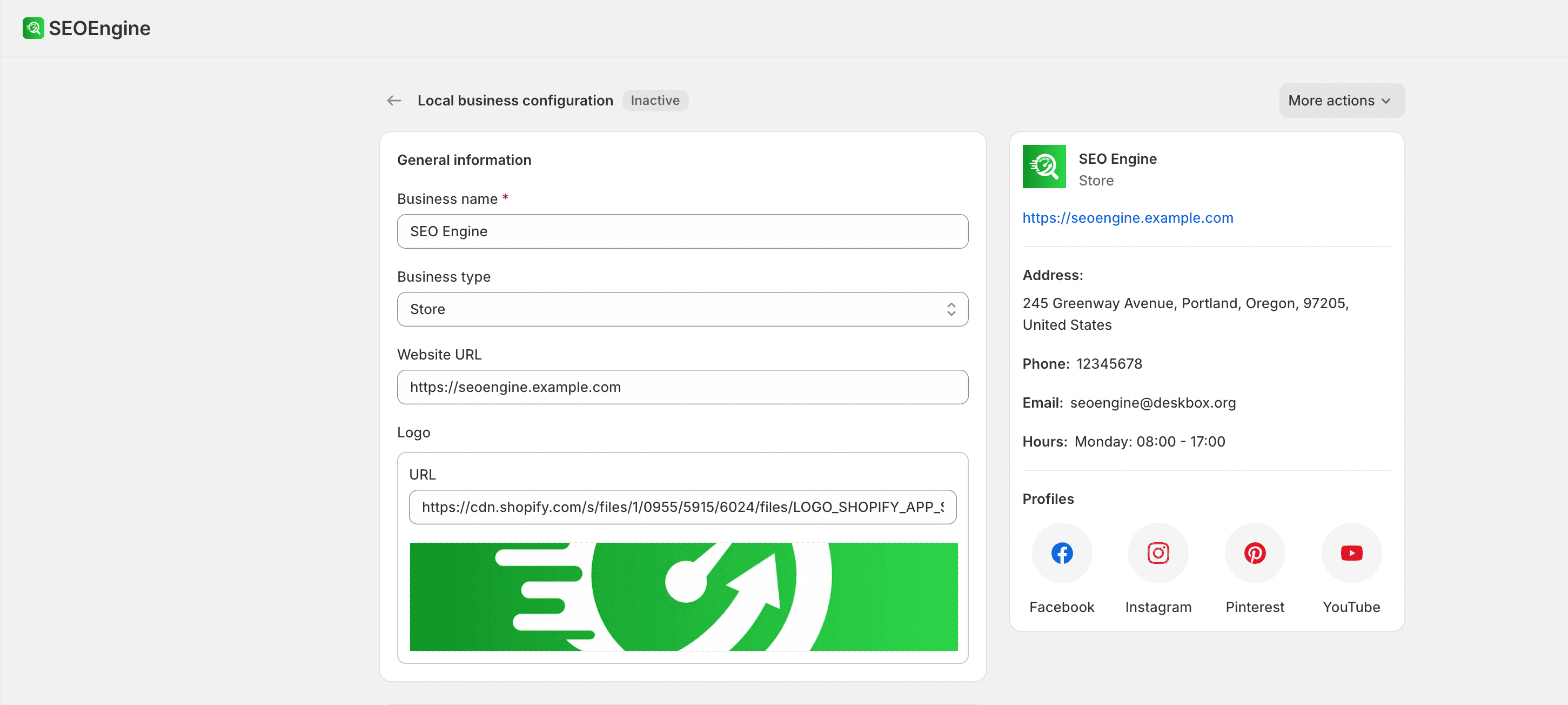
To configure local business details, enable Local Business, select Edit, and fill out the fields:
- General details: Provide your business name, business type (for example, store or restaurant), URL, logo, and choose whether to apply this schema to the home page or a specific content page.
- Address & location: Enter your storefront's physical address and exact map coordinates (latitude and longitude).
- Contact & hours: Set your contact phone number, support email, storefront image, and specify opening hours for each day of the week.
- Social & advanced details: Add official social profiles, price range indicators, service areas, and your Google Maps URL.
Product and Review schemas
Product schemas display live storefront information in search results, including product pricing, availability, and delivery details. Review schemas append star ratings and customer reviews to product results when reviews are available.
- Product schema settings: Enable the Product schema and customize details such as shipping costs, target countries, handling and transit times, and return policy details (return window days, return fees, and return methods). You can also choose whether to show product stock availability in search results.
- Review snippet: Turn on the Review snippet setting to allow search engine results to display product rating scores when customer reviews are available on your store.
Navigation and page-specific schemas
Use breadcrumb, FAQ, and article schemas to help search engines map site structure and page content.
- Breadcrumb schema: Displays parent-child page trails in search results. You can customize breadcrumbs by selecting which page types to target (products, collections, content pages, or blog posts), setting a custom home page label, and choosing whether to use translated page titles on multilingual stores.
- FAQ schema: Attaches question-and-answer markup to eligible pages. Turn on FAQ structured data, and then configure individual questions and answers in the FAQs section of SEO Audit for specific pages.
- Article schema: Helps search engines identify and index blog posts and articles. Turn on the Article schema setting to automatically apply basic blog schema markup across all post types.