

Appearance
Auto redirects
When you delete products, change collection handles, or update page URLs, visitors and search engines that open the old paths may see a 404 error. Auto redirects can automatically create 301 redirects when store URLs break or change, so visitors and crawlers are sent to a new destination.
For manual redirects and broken-link tracking, see URL rules.
Before you begin
- SEOEngine is installed and open in your Shopify admin.
- You know the default destinations you want for each resource type when a page is not found.
Configure auto redirects
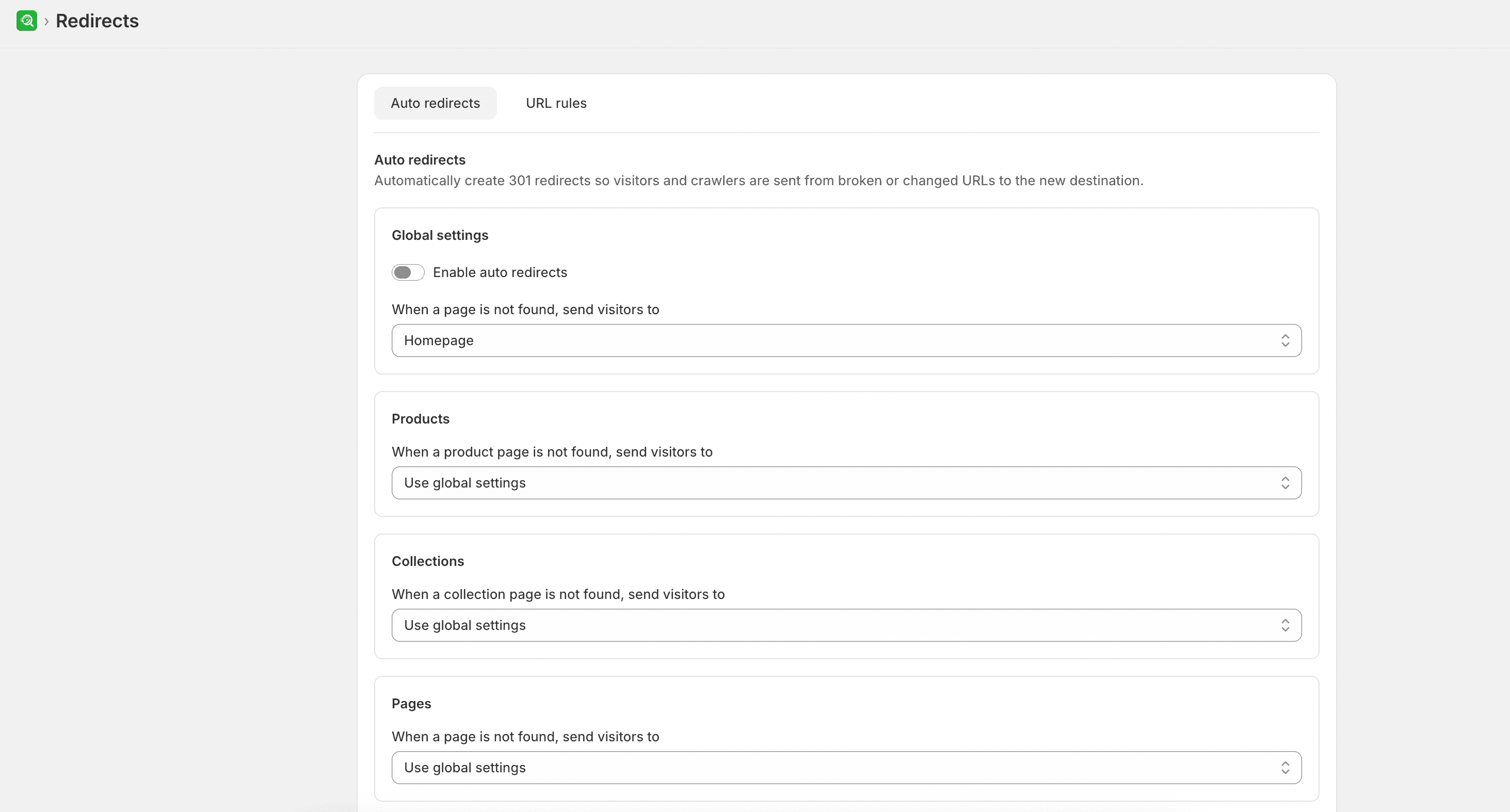
- From SEOEngine, go to Redirects and open the Auto redirects tab.
- Turn on Enable auto redirects.
- Configure where visitors should go when a page is not found:
- Global settings: Choose the default destination when no more specific rule applies. Options are Homepage, Custom URL, or Keep broken link (do nothing). If you choose Custom URL, enter the destination path.
- Products: Choose Use global settings, Homepage, Product collection, Similar product, or Custom URL. When you select a collection or product destination, choose the matching store resource.
- Collections: Choose Use global settings, Homepage, Product collection, or Custom URL.
- Pages: Choose Use global settings, Homepage, or Custom URL.
- Blog posts: Choose Use global settings, Homepage, Blog, Blog post, or Custom URL. When you select a blog or blog post destination, choose the matching store resource.
- Select Save.
Expected result
After you save, new broken or changed URLs follow the destination rules you configured for each resource type.