

Appearance
Fix with AI
When auditing a page, you can use the AI assistant to rewrite weak or missing metadata fields, such as titles and descriptions that are too short or too long.
IMPORTANT
AI-generated output may be inaccurate or incomplete. Review every suggestion before you apply it or publish changes on your store. See About AI, the Terms of Service, and the Privacy Policy.
Before you begin
- Open a product, collection, page, or blog post in SEO Audit.
- Optionally configure AI settings for language and tone.
- Some AI generation features require the page to have a title first.
Fix page issues with AI suggestions
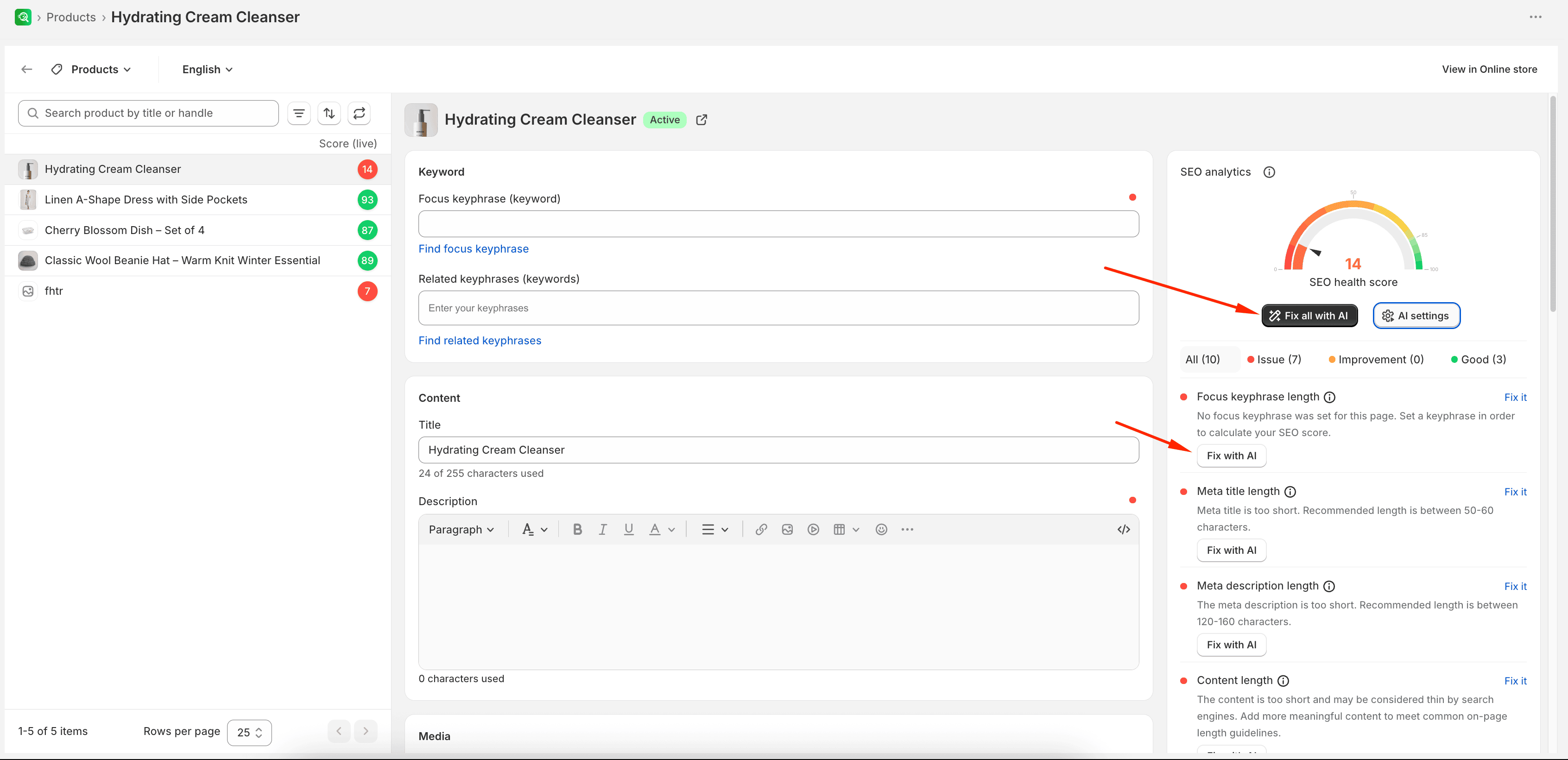
- Open a product, collection, page, or blog post in SEO Audit.
- In the SEO analytics panel, find a recommendation with issues, and select Fix with AI (or select Fix all with AI to target multiple recommendations).
- In the Generate with AI sidebar, configure your prompt options:
- Optionally add specific product features or custom target keywords.
- Verify your desired Tone and Language.
- Check the boxes for the fields you want to update (such as Focus keyphrase, Title, Description, Meta title, Meta description, or URL handle).
- Select Generate.
- Review the AI-generated text. Select Apply on individual fields, or select Apply all to overwrite the page settings with the new content.
- Select Save to update the page.
Expected result
Applied fields update in the page editor. Changes are stored for the page only after you select Save.
NOTE
On the home page, meta fields are controlled by your theme settings and cannot be updated using the app’s AI tool. Additionally, some AI generation features require the page to have a title first before they can suggest content.